Years ago, when people asked Geoffrey Hinton why he worked on artificial intelligence, he would repeat a line from J. Robert Oppenheimer, one of the creators of the atomic bomb: “When you see something that is technically sweet, you go ahead and do it.”
Computer scientist and Nobel Prize in Physics laureate Geoffrey Hinton during the Starmus Festival 2026, held this Tuesday in the municipality of Arona in Tenerife.
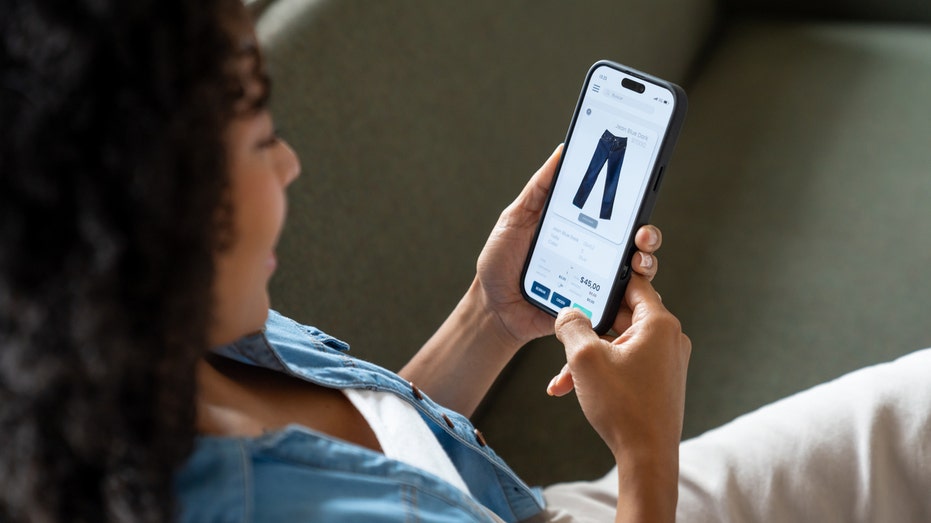
Have you ever found something you wanted to buy, only to wonder whether the price might drop next week? Maybe it's a new pair of headphones, a kitchen appliance or a gift you've had your eye on. You could keep checking the website every day, but who has time for that?
Here's something you may not realize. Your phone can help watch prices for you. Apple's Safari browser has a feature that monitors website changes, while Google's shopping tools offer price tracking on supported products.
That means you can spend less time refreshing product listings and more time deciding whether a deal is actually worth your money. I'll show you how to set up these alerts on an Apple iPhone, Samsung Galaxy and Google Pixel.
Join our upcoming CyberGuy LIVE class: 5 Ways to Travel Smarter and Save Money
In this free live online class, Kurt "CyberGuy" Knutsson will share five practical ways to protect your trip and your wallet this holiday travel season. You’ll learn how to secure your phone and personal information, find better travel deals, avoid common scams, save money on bookings and use technology to make your travels easier and less stressful. No technical experience is needed.
Join us Saturday, Oct. 31, at 11 AM ET/8 AM PT. Register free now at CyberGuyLive.com.
How to get price-drop alerts on iPhone running iOS 27
Apple introduced a feature called Notify Me in Safari with iOS 27. Instead of returning to a website to see whether something has changed, you can tell Safari what to watch. For example, you might ask Safari to notify you when a pair of headphones drops below $150. You could also monitor a sold-out item and get an alert when the website indicates it's available again.
Unlike a traditional price tracker, Safari can look for other changes on a webpage, too. However, the feature doesn't work with every website, and alerts depend on Safari detecting the requested change.
Important: Notify Me requires Apple Intelligence. It works on compatible models, including the iPhone 15 Pro, iPhone 15 Pro Max and iPhone 16 or later. The standard iPhone 15 and iPhone 15 Plus do not support Apple Intelligence.
Steps to set up Safari Notify Me
Open Safari on your iPhone.
Visit the product page you want to monitor.
Tap the Page Menu button in the address bar. It may appear as a puzzle piece.
Select Notify Me.
Choose a suggested request or enter what you want Safari to watch, such as "Notify me when the price drops below $150."
To change how often Safari checks the webpage, tap Edit and select your preferred interval.
Tap the checkmark to finish.
Allow notifications if your iPhone asks for permission.
Safari checks the page at your selected interval and sends a notification when it detects the change you requested. The available checking intervals include hourly, daily, weekly and monthly options. You can also use Notify Me for something other than shopping, such as watching for event tickets or a registration page to open. Just remember that updates are not necessarily instantaneous.
Can you track prices on an iPhone without Apple Intelligence?
Yes. If you have a standard iPhone 15 or another model that doesn't support Safari Notify Me, you can use Google Chrome instead. Google offers Chrome price tracking on iPhones running iOS 15 or later, including iOS 27. It works on supported product pages and requires a signed-in Google Account, history synchronization and the necessary browsing settings.
Steps to track prices using Chrome on iPhone
Open Google Chrome on your iPhone.
Visit the webpage of the product you want to track.
Tap the three-dot More menu.
Look for and select Track Price, if available.
Scroll through the available products and select the one you want.
Tap Track, then Done.
Allow Chrome notifications when prompted.
To manage tracked products, look for Track Price in Chrome's three-dot menu. You may also find alert controls under Chrome > three-dot menu > Settings > Notifications. The exact options can vary by Chrome version and account.
Don't see Track Price? The option may not be available for that product or your account. You can also try searching for the product in the Google app and looking for a price-tracking option in its shopping results.
How to get price-drop alerts on Samsung Galaxy and Google Pixel
Samsung Galaxy and Google Pixel owners can use Google's shopping tools to track products and receive alerts when prices fall. The easiest place to start is the Google app, which works similarly on both phones. Chrome may also show price-drop indicators on shopping pages you've left open.
How to track a product using the Google app
Open the Google app on your Samsung Galaxy or Google Pixel.
Tap the search bar at the top of the screen.
Type the name of a product you want to buy, such as Samsung Galaxy Buds3 Pro, then tap Search.
Look for a picture of the product with its name and price in the search results. You may need to scroll down.
Tap the product's picture or name to see more details.
Look for Track price or a bell-shaped price-tracking icon and tap it if available.
Select your preferred size, color or other options if asked.
Choose the price you want to pay if Google gives you that option.
Tap OK to confirm.
Google can send you a notification on your phone or an email when the product reaches your selected price. Make sure you're signed into your Google Account and have notifications enabled.
Don't see Track price? Go back to your search results and tap Shopping near the top of the screen. Select the product you want and look for Track price again. Google doesn't offer price tracking for every product, and the option may not appear for every account.
How to track prices directly in Chrome on Android
There's another handy option for Samsung Galaxy and Google Pixel owners. Chrome can actively track prices on supported product pages and alert you when they drop. That means you don't have to leave a shopping tab open and keep checking it yourself.
Here's how to get started:
Open Chrome on your Samsung Galaxy or Google Pixel.
Visit the product page you want to monitor.
Tap the three-dot More menu in the upper-right corner.
Select Track prices, if available.
If Chrome displays a first-time introduction, tap Show me.
Follow any remaining prompts to enable tracking.
You can find your tracked items under Chrome > three-dot menu > Bookmarks > Tracked products. To manage alerts, go to Chrome > three-dot menu > Settings > Google services > Getprice tracking notifications. From there, you can adjust mobile and email notifications. Keep in mind that this feature only works on supported product pages. You'll also need to be signed into Chrome with your Google Account, enable syncing for tabs and browsing history and turn on Make searches and browsing better.
Google's new Universal Cart adds another way to track prices
Google introduced Universal Cart in the United States earlier this month. The feature is rolling out across Google Search and the Gemini app, giving shoppers another way to keep track of products without constantly checking different websites. Universal Cart lets you save items from multiple retailers in one place. Once you've added a product, Google's shopping tools can monitor its price and alert you when the cost drops or an out-of-stock item becomes available again. The cart can also identify promotional codes and suggest payment options that may help you save money.
For example, if you're shopping for a new TV, you can save models from different stores and let Google watch for price changes. When you're ready to buy, you can complete eligible purchases through Google Pay or finish checkout directly on the retailer's website. Universal Cart is rolling out in the U.S., so it may not appear in every account immediately. It's another option worth checking if you already use Google Search or Gemini to shop.
Why your phone might not show the price-tracking option
If you don't see Notify Me or Track price, the feature may be unavailable for your phone, account or shopping website. Start by checking that your apps and browser are updated. On iPhone, Safari Notify Me requires a compatible device with Apple Intelligence enabled. For Google's shopping tools, make sure you're signed into your Google Account. Chrome may also require additional browsing or synchronization settings for certain shopping features.
Some product pages simply don't support tracking. In that case, try another retailer's listing for the same item. Google's price-tracking features are available in supported countries, including the United States, although availability varies by product and account.
Three things to check before buying after a price alert
A lower price can be tempting, especially when a notification pops up while you're doing something else. However, I wouldn't rush to check out without checking a few details.
Look at the price history. Chrome's Shopping Insights can show historical pricing on eligible products. That can help you determine whether today's discount is unusually good or fairly common.
Check the total cost. Shipping fees, taxes and optional extras can change how much you actually pay. Compare the final checkout price, not just the advertised discount.
Make sure you're buying the right version. A lower price might apply to a different storage capacity, color, model year or product condition. Check the details before placing an order.
A price alert tells you something has changed. It doesn't necessarily mean you've found the lowest available price.
A quick privacy consideration
Price tracking comes with a privacy trade-off worth understanding. Google's shopping tools use your Google Account to manage tracked products and alerts. Certain Chrome shopping features may also require additional browsing information or settings, including Make searches and browsing better. You should review those options before enabling them.
That setting allows Chrome to share browsing-related information with Google to improve its services. You can review these options under Chrome > 3 dots in the upper right >Settings > Google services. Apple's Safari Notify Me uses Apple Intelligence to monitor webpages for requested changes. Before enabling either feature, consider whether the convenience is worth the information and permissions involved.
One more shopping safety tip
Be careful about clicking price-drop alerts or shopping links from unfamiliar senders. Scammers can create fake sale notifications that lead to fraudulent websites. Strong antivirus software can provide an additional layer of protection by helping detect malicious links, phishing attempts and other online threats. Get my picks for the best 2026 antivirus protection winners for your Windows, Mac, Android and iOS devices at CyberGuy.com.
Kurt's key takeaways
I've lost count of how many times I've looked at something online, decided to wait and then completely forgotten to check whether the price dropped. That's why I like having my phone do some of the watching for me. With Safari's Notify Me feature in iOS 27, compatible iPhones can monitor more than just prices.
Meanwhile, Google's shopping tools can help Samsung Galaxy and Pixel owners follow prices on supported products, while Chrome offers additional shopping features on compatible devices. My advice is to start with something you actually need, especially a larger purchase where a price drop could save you a meaningful amount. Set up an alert and see what happens. You might save some money without spending your evenings hunting through shopping websites.
Have you ever bought something only to see the price drop a few days later? Would you trust your phone to watch prices for you, or do you prefer hunting for deals yourself? Let us know by writing to us at CyberGuy.com.
Sign up for my FREE CyberGuy Newsletter
Get my best tech tips, urgent security alerts and exclusive deals delivered straight to your inbox.
For simple, real-world ways to spot scams early and stay protected, visit CyberGuy.com –trusted by millions who watch CyberGuy on TV daily.
Plus, you'll get instant access to my Ultimate Scam Survival Guide free when you join.
China slammed the Trump administration’s move to sanction five Chinese companies linked to a former Google engineer accused of intellectual property theft, calling it “egregious.” The State Department announced the sanctions on Monday, stating the firms are connected to Chinese national Linwei Ding, who was convicted earlier this year of stealing AI-related trade secrets from…
China slammed the Trump administration’s move to sanction five Chinese companies linked to a former Google engineer accused of intellectual property theft, calling it “egregious.” The State Department announced the sanctions on Monday, stating the firms are connected to Chinese national Linwei Ding, who was convicted earlier this year of stealing AI-related trade secrets from…
Former Google CEO Eric Schmidt said AI could make companies flatter by taking over some planning and coordination work.
Bloomberg/Getty Images
AI is changing how executives oversee their companies, Eric Schmidt said on the "In Good Company" podcast.
Google's former CEO described several ways execs he knows use AI agents to manage staff.
He described one company that uses AI assistants to ensure that staff are following its core values.
Eric Schmidt thinks the CEO of the future will have an AI assistant that can see across the entire company. For employees whose job is to keep a sprawling business coordinated, that could be bad news.
In an episode of the "In Good Company" podcast, the former Google chief executive described assistants that check whether company activity aligns with a leader's values, follow up on projects, and help identify ways to increase profits.
He argued that the technology could make businesses faster and flatter, with fewer people needed to plan, relay information, and move numbers around.
Schmidt sees little time for companies to adjust. He said competition in AI is fiercer than the PC-versus-Mac or Android-versus-iPhone battles: a model can take roughly six months to build, another two to test, and then be overtaken within five months of release.
"Time compresses every cycle," he said.
He also rejected the idea that AI is a bubble, pointing to Anthropic's rapid revenue growth. Schmidt said the company had grown faster than a record set during his time at Google, calling it "real money with real customers."
The changes he envisions are already visible in smaller experiments, he said. Schmidt gave the example of two founders he knows who ask an AI assistant every Friday to flag anything happening at their company that conflicts with their values.
Another executive created an AI version of himself that checks on an employee's progress, gives him instructions, and responds when he needs help, Schmidt said. That exchange sounded potentially abusive and worried him, he added, though he also saw how it sped up the executive's decisions.
Schmidt said his days as CEO were consumed by meetings, 12 hours a day, five days a week, as he listened to people explain projects and decisions. He thinks AI platforms can eliminate much of that "coordination tax": the effort of gathering updates, passing them upward, and keeping teams aligned.
For a company with 10,000 employees, Schmidt guessed AI could leave "a couple of thousand people who you don’t need."
He cited a friend whose fast-growing company cut 20% of its staff, including the "glue people" who handled planning and coordination. The friend later told Schmidt he had received death threats over the cuts.
Schmidt said companies would still need people who build products, make sales, speak with regulators, and lead teams. His advice to workers whose roles were disappearing was that executives should transition them "legally and humanely."
Hace años, cuando la gente preguntaba a Geoffrey Hinton por qué trabajaba con la inteligencia artificial, él repetía una frase de Oppenheimer, uno de los creadores de la bomba atómica: “Cuando ves algo grandioso, sigues adelante y lo llevas a cabo”. Ya no lo dice. Ahora se dedica a alertar sobre los peligros de continuar la carrera que él mismo empezó. Confiesa que, en parte, se arrepiente del trabajo al que ha dedicado una vida. Su reconversión de padrino de la IA a profeta de la catástrofe marcó un punto de inflexión en la industria. Sucedió en 2023, cuando abandonó su puesto como vicepresidente de Google entre advertencias funestas. Entonces, algunos vieron su reacción exagerada. Tres años después, muchos han seguido sus pasos.
El científico computacional y Premio Nobel de Física Geoffrey Hinton durante el Festival Starmus 2026 que se celebra este martes en el municipio de Arona en Tenerife.

 Login
Login