❌

Reading view

File too large to upload? How to get past picky portals in minutes

You fill out a job application or a benefits form, attach the last document, and the portal refuses it. Sometimes the message says the file is too big. Other times it says the format isn’t accepted, with no hint about what would work.

Both errors have simple causes, and most can be fixed in a few minutes without special software. Here’s what each one means and how to get your document through on the next try.

Why portals set upload limits

Upload caps protect the servers behind a site. Every file a portal accepts has to be stored, scanned, and sometimes passed on to a reviewer, so large files slow the whole system down.

Limits vary widely. Gmail allows attachments up to 25 MB, while Outlook stops at 20 MB. Job portals and web forms often set the bar at 5 to 10 MB, and government or court e-filing systems can be stricter still, sometimes 5 MB or less per file.

Format rules exist for similar reasons. A portal that only accepts PDF and JPG doesn’t have to support dozens of file types or worry about files that open differently on every computer. When you see “file format not supported,” the site is telling you it only works with a short list of types, which is usually printed somewhere near the upload button.

Files most likely to trigger a file too large error

Some documents hit the limit far more often than others:

– Scanned PDFs: each page is stored as a full image, so one page can weigh several megabytes.

– Reports and brochures with photos: uncompressed images inside the PDF add up fast.

– Phone photos: a single picture from a modern phone can run 5 to 15 MB.

– Merged PDFs: combining a dozen scans into one file stacks their sizes together.

If you’re stuck with a PDF file too large to upload, it’s usually a scan or a merged file. The text itself takes up very little space. The images inside the file are what push it over.

Compress the PDF first

When a portal says “File exceeds size limit,” compression is the fastest fix. A PDF compressor lowers the resolution and quality of the images inside the file while leaving text untouched. For most forms, IDs, and contracts, the difference isn’t visible on screen.

Upload the PDF to a compression tool, pick a compression level, and download the smaller copy. Start with a medium setting. If the file is still over the limit, try a stronger level, then zoom in to check that small print and signatures are still readable. Keep the original file, too, so you can go back to it if a stronger setting blurs something important.

Split or resize when compression isn’t enough

If a file size too large error keeps appearing after compression, split the document. Many portals allow several uploads, so a 40-page application can go up as two or three smaller PDFs. You can also split by page range and send only the pages the form actually asks for.

For photos, resize before you upload or convert them. Cutting a 4000-pixel-wide image down to around 1200 pixels shrinks the file dramatically and still looks sharp on a screen.

When the problem is the format, not the size

A rejected format is often easier to fix than a rejected size. Many portals ask for a PDF but get a phone photo of a document, which saves as JPG or HEIC. Others want a single file but receive five separate images.

Converting the images to one PDF solves both problems at once. If you’re looking for a way to convert JPG to PDF free, JPGtoPDF runs in the browser without an account and can combine several images into a single PDF in the order you arrange them. Check the portal’s accepted types first, since some forms take JPG directly and don’t need the extra step.

Word and PowerPoint files cause the same error on PDF-only portals. Both programs can save a copy as PDF from the Save As or Export menu, which also locks the layout so fonts and spacing don’t shift on the reviewer’s screen.

Habits that prevent upload errors

A few settings save you from rejected uploads in the first place:

– Scan documents at 300 DPI, which keeps text crisp without creating huge files.

– When exporting from a word processor, choose the smaller or “minimum size” PDF option if there is one.

– Compress files ahead of time if you know a portal has a strict limit.

– Name files clearly, such as “Smith_Passport.pdf,” so reviewers can find them.

Conclusion

A rejected upload almost always comes down to size or format. Compress or split oversized files, resize photos, and convert images to PDF when a portal asks for it. Once you know a site’s limits, dealing with a file too large to upload takes minutes instead of stalling an application.


DISCLAIMER – “Views Expressed Disclaimer – The information provided in this content is intended for general informational purposes only and should not be considered financial, investment, legal, tax, or health advice, nor relied upon as a substitute for professional guidance tailored to your personal circumstances. The opinions expressed are solely those of the author and do not necessarily represent the views of any other individual, organization, agency, employer, or company, including NEO CYMED PUBLISHING LIMITED (operating under the name Cyprus-Mail).


  •  

Meet CALA: A New Destination for Better Sleep and Bedding in Cyprus

Finding the right bedding in Cyprus isn’t always straightforward. Long, hot summers, humid coastal nights and cooler winter evenings mean that what feels comfortable in one season might not work in another.

At the same time, choosing bedding involves more than finding the right colour or size. Materials, breathability, pillow construction and personal sleeping preferences all influence how a bed feels.

This is where CALA, a Cyprus-focused online store specialising in bedding and sleep essentials, aims to make a difference.

With a selection spanning pillows, blankets, bed linen and sleep accessories,CALA brings together bedding and sleep essentials for customers in Cyprus, offering different options for different sleeping preferences and seasons.

Bedding that makes sense for the Cyprus climate

Living in the Mediterranean means thinking differently about bedroom comfort.

During summer, heavy fabrics and excessive layers can make already warm nights uncomfortable. Breathable materials such as cotton, linen and lyocell offer alternatives for people looking for lighter bedding.

Lyocell, in particular, has become an increasingly popular material in modern bedding thanks to its smooth texture and moisture-management properties. Linen offers a more relaxed feel, while cotton remains a practical everyday choice.

Rather than focusing on one type of bedding, CALA offers customers the opportunity to explore different fabrics, textures and materials according to how they prefer to sleep.

The same principle applies when temperatures drop. Lightweight covers may be sufficient during summer, while cooler months call for warmer duvets, blankets or additional layers.

Beyond traditional pillows

A pillow can make a significant difference to how comfortable a sleeping position feels, yet it is often one of the most overlooked bedroom purchases.

Side sleepers, back sleepers and stomach sleepers may all need different levels of height and support. Some people prefer a soft, cushioned feel, while others look for greater structure and responsiveness.

CALA’s pillow selection includes modern designs such as Italian pocket-spring pillows, which use individually responsive springs as part of their internal construction.

Unlike conventional fibre-filled pillows, pocket-spring designs offer a different support sensation and are an alternative worth considering for people who want something beyond traditional pillow materials.

Cooling-oriented pillows and adjustable designs also provide options for customers with different comfort preferences.

Weighted blankets, cooling bedding and everyday comfort

The modern bedroom is increasingly about personal comfort rather than simply having a duvet and a pair of pillows.

Weighted blankets, for example, have attracted attention for their distinctive evenly distributed weight. Some people enjoy the feeling of gentle pressure, although choosing a suitable weight is important and they are not appropriate for every sleeper.

Cooling bedding offers another approach, particularly relevant to Cyprus, where warm nights can continue well beyond the peak summer months.

CALA’s range extends beyond these specialised products to everyday sleep accessories, including pillowcases, sleep masks and other items designed around different bedroom routines.

The idea is simple: customers should be able to choose products based on how they sleep, rather than being limited to one standard bedding solution.

A more considered way to shop for bedding

Buying bedding online can be challenging. Photographs rarely communicate how a fabric feels, whether a pillow offers enough support or how a blanket will perform throughout the year.

Clear product information, material descriptions and an understandable selection of options therefore matter.

CALA approaches bedding as a collection of individual choices: the right pillow for a preferred sleeping position, suitable bed linen for warmer nights and blankets that match personal comfort preferences.

By bringing these categories together in one online store, the retailer gives Cyprus customers a convenient starting point for comparing different bedroom essentials.

Whether someone is replacing an old pillow, refreshing their bed linen or exploring a new type of blanket, the emphasis is on finding the right combination rather than following one universal recommendation.

Small changes can make a big difference

Creating a more comfortable bedroom doesn’t necessarily require a complete renovation or an expensive new mattress.

Sometimes, replacing an unsuitable pillow, switching to more breathable sheets or adjusting the weight of a duvet can make the sleeping environment noticeably more pleasant.

And in Cyprus, where seasonal temperatures influence everyday living, the ability to adapt bedding can be particularly useful.

With CALA, the focus is on making those choices more accessible through a broad selection of bedding, pillows, blankets and sleep accessories.

For anyone looking to rethink their bedroom comfort, exploring different materials and bedding options can be a practical first step.

Explore the CALA collection at cala.cy


DISCLAIMER – “Views Expressed Disclaimer – The information provided in this content is intended for general informational purposes only and should not be considered financial, investment, legal, tax, or health advice, nor relied upon as a substitute for professional guidance tailored to your personal circumstances. The opinions expressed are solely those of the author and do not necessarily represent the views of any other individual, organization, agency, employer, or company, including NEO CYMED PUBLISHING LIMITED (operating under the name Cyprus-Mail).

  •  

Lab-grown diamond engagement rings: what buyers should know

A lab-grown diamond is a real diamond. It has the same carbon, the same crystal structure and the same fire when it catches the light at dinner. What changes is where it comes from, and that one difference shapes almost every decision you’ll make when buying a ring.

Real diamonds, made in weeks rather than millennia

Lab-grown diamonds are produced in one of two ways. High pressure, high temperature (HPHT) recreates the crushing conditions deep inside the earth. Chemical vapour deposition (CVD) builds a diamond layer by layer from carbon-rich gas. Either way, a stone that would take nature a billion years or so can be grown in a few weeks.

The results are good enough that specialist jewellers have built whole collections around them. Cullen Jewellery, an Australian jeweller whose rings are designed in Melbourne and crafted by its own team of jewellers, is one example, and its growth says a lot about how quickly couples have embraced these stones. Even trained gemmologists need specialised equipment to tell a lab-grown diamond from a mined one. Your friends at brunch won’t stand a chance.

Where your budget goes further

Here’s the part that gets most people’s attention. A lab-grown diamond typically costs a fraction of a mined stone of similar size and quality, often somewhere between 60 and 80 per cent less.

That gap gives you options. Some couples go up a carat. Others put the savings into a better setting, a matching wedding band, or a deposit on a house. All of those are sensible choices.

Think of a lab-grown diamond as something to wear and treasure rather than resell. Choose it for how it looks on your hand, and you’ll get full value from it every day.

Reading the grading report

Every quality lab-grown diamond should come with an independent grading report, usually from the International Gemological Institute (IGI) or the Gemological Institute of America (GIA). The report confirms the stone is lab-grown and records its characteristics. Many stones also carry a tiny laser inscription on the girdle that matches the report number, so you can check the paperwork belongs to the diamond in your hand.

Cut first, carat second

Of the four Cs, cut does the most for sparkle. A well-proportioned stone bounces light back to your eye; a poorly cut one leaks it out the bottom and looks glassy. In practice, an excellent-cut 1.5 carat diamond will often look brighter and livelier than a mediocre 2 carat one. If you’re choosing where to spend, cut is the safest bet.

Colour and clarity matter less than many buyers expect. A G or H colour stone looks beautifully white once it’s set in a ring, and a VS2 clarity diamond is clean to the naked eye.

The sustainable case for lab-grown diamond engagement rings

Lab-grown diamonds skip mining entirely, so there’s no open-cut pit and far less disturbance to land and water. That appeals to plenty of couples who want their ring to reflect how they live.

Growing diamonds does use a lot of energy, though, and the footprint depends heavily on where that power comes from. The most sustainable producers use renewable energy or offset their emissions, and some jewellers go further by planting trees or running precious metal recycling programmes. Pair a lab-grown stone with recycled gold or platinum for the band and you’ve got a ring with a genuinely smaller impact.

The single most useful thing you can do is simple: ask to see the grading report before you see the ring. A jeweller who hands it over straight away, and happily explains every line, is almost always one worth buying from.


DISCLAIMER – “Views Expressed Disclaimer – The information provided in this content is intended for general informational purposes only and should not be considered financial, investment, legal, tax, or health advice, nor relied upon as a substitute for professional guidance tailored to your personal circumstances. The opinions expressed are solely those of the author and do not necessarily represent the views of any other individual, organization, agency, employer, or company, including NEO CYMED PUBLISHING LIMITED (operating under the name Cyprus-Mail).

  •  

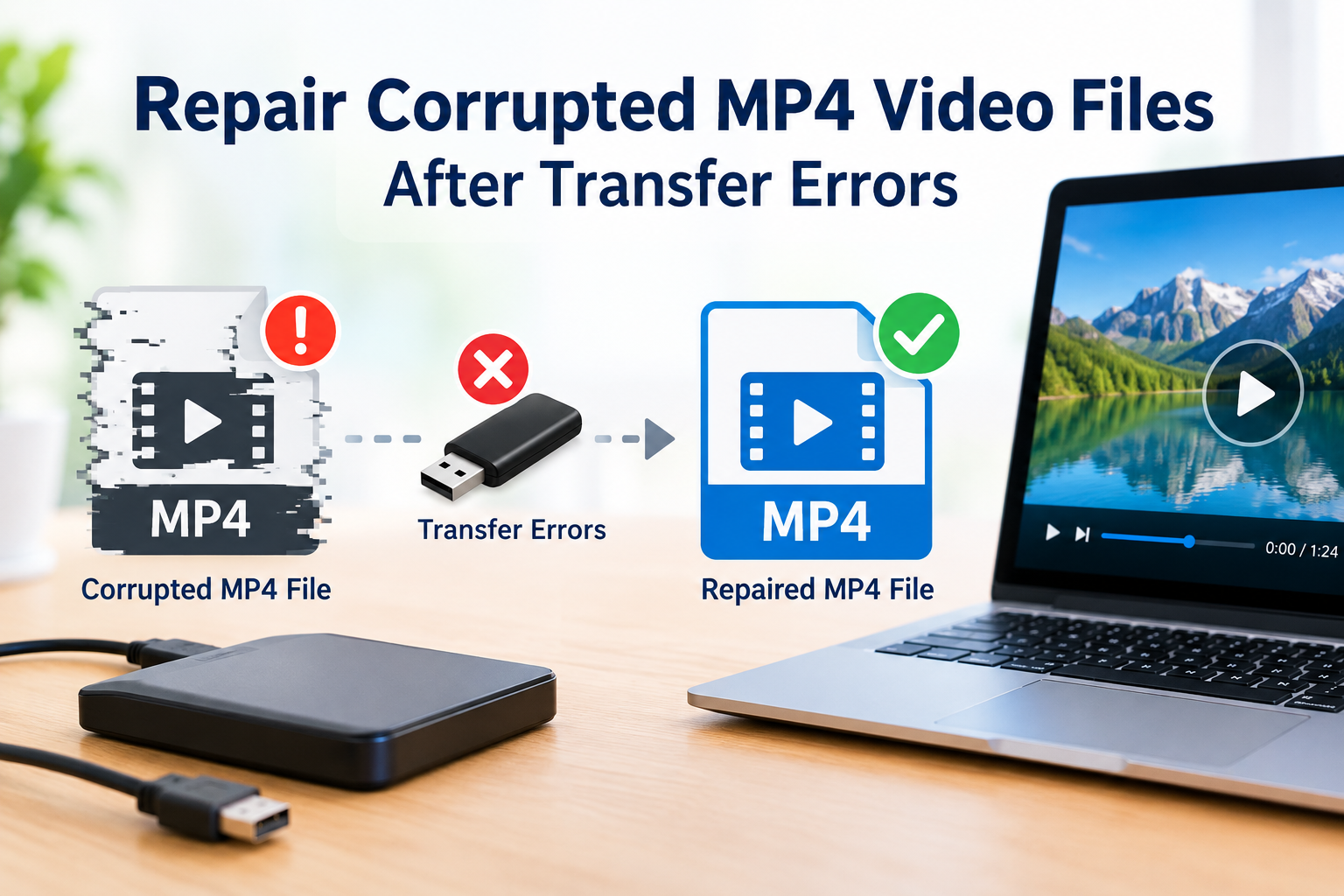
Repair corrupted MP4 video files after transfer errors

Suppose you transferred some important video from your camera or smartphone to your desktop, or from a friend’s phone to yours. But after a while, when you double-click the file, it does not play, returns a playback error message, video plays for a few seconds and freezes, or shows visual artifacts? Sometimes the player says – the file is damaged, the file cannot be played or the file isn’t supported.

Every user must have faced this once while transferring a video file, especially a large one or when sharing videos wirelessly across devices. This playback error is because of video corruption.

While the video is fine on the source device, something goes wrong on the way and the video file turns corrupted on the new device. The good news is that a transfer error does not always mean the footage is gone. If you are sitting with a corrupted or damaged file, don’t worry we can help you repair it.

Why do MP4 files get corrupted during transfer?

An MP4 file keeps its index (the metadata that tells a player how to read the video) in one specific part of the file. If a transfer stops early or skips data, that index can go missing or break. The file is then there, but it cannot be played.

Here are the most common reasons this happens:

  • Interrupted copying. A pulled cable, a power cut, a low battery or a laptop going to sleep can stop the copy halfway.
  • Faulty hardware. A damaged USB cable, a loose port or a cheap card reader interrupt data transfer without any warning.
  • Unsafe removal. Unplugging a drive or card before the system finishes writing leaves the file incomplete.
  • Network drops. Wi-Fi breaks, interrupted cloud syncs and messaging apps that trim files can all damage a video in transit.
  • Storage problems. Bad sectors, a nearly full drive, or a FAT32 drive that cannot hold files above 4 GB can leave you with a broken copy.
  • A damaged original. Sometimes the file was already damaged on the source device, and the transfer only exposed it.

Why can’t you just transfer it again?

If the original file is still safe, the simplest fix is to copy it again. Use a different cable, a different port or a different card reader. Check that the size of the new copy matches the original. Most of the time, that solves it.

But there are cases where this does not work:

  • The source device is no longer with you. The phone was reset, the card was formatted, or the camera was returned.
  • The file came from a client, a friend or a download link that has expired.
  • The card or drive is failing, so every new transfer corrupts the file again.

In these cases, you have to repair the corrupted copy you already have. That is where a video repair tool helps.

Method 1: Repair the MP4 in your browser with Stellar Online Video Repair

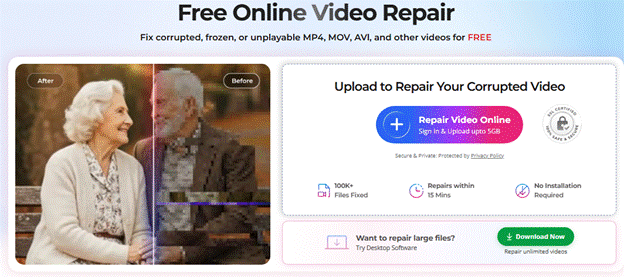
If you do not want to install anything, or you are on a shared or work computer, Stellar Online Video Repair is a good place to start. It is a secure, browser-based service. It works from desktops, laptops and mobile devices.

Key Features of the Online tool

  • Repair on any device’s browser, no installation
  • Uploads up to 5 GB of video file
  • SSL-secured upload for all video formats
  • Repair does not reduce the original video quality
  • A free plan repairs one file up to 100 MB, with a preview of the repaired video

Steps to repair

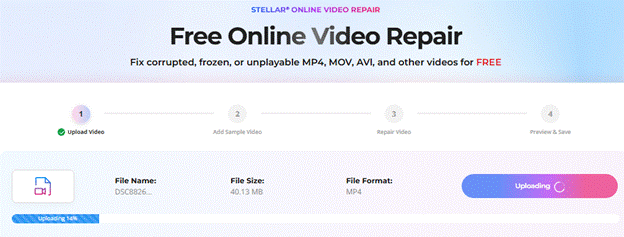
  1. Open Stellar Online Video Repair in your device’s browser. Sign Up with an email and password.
  1. Upload the corrupted MP4 file.
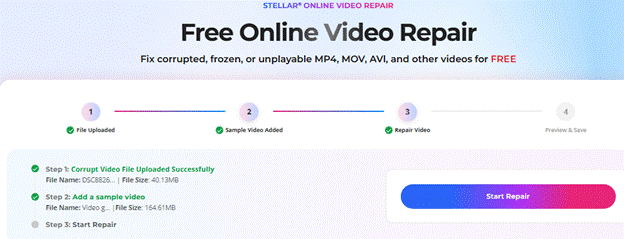
  1. Add a sample video. This is a healthy file shot on the same device and in the same format.
  1. Click Start Repair and wait while the tool fixes the file.
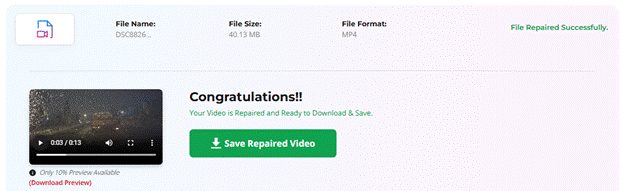
  1. Preview the repaired video. If it looks right, save it to your device.

We did not pay a single penny for this repair as this was absolutely free of cost.

Method 2: Fix the MP4 or video file with Stellar Repair for Video (Desktop)

Some MP4 files are too large for a browser upload. Some are too badly damaged for a quick fix. Other times you have a whole folder of broken clips. For all of these, MOV or MP4 video corruption issues, an MP4 Video Repair tool such as Stellar Repair for Video is the stronger option. It runs on both Windows and Mac.

Key Features of the Desktop tool

  • No limit on file size, so 4K and larger videos are fine
  • Batch repair of unlimited files, even in different formats
  • Support for 17+ formats, including MP4, MOV, M4V, MKV, AVI and 3GP
  • Advanced Repair, which uses a sample file to fix severely corrupted videos
  • Works on videos from cameras, phones and drones
  • A preview of the repaired video before you save it

Steps to repair

  1. Download, install and launch Stellar Repair for Video on your PC or Mac.
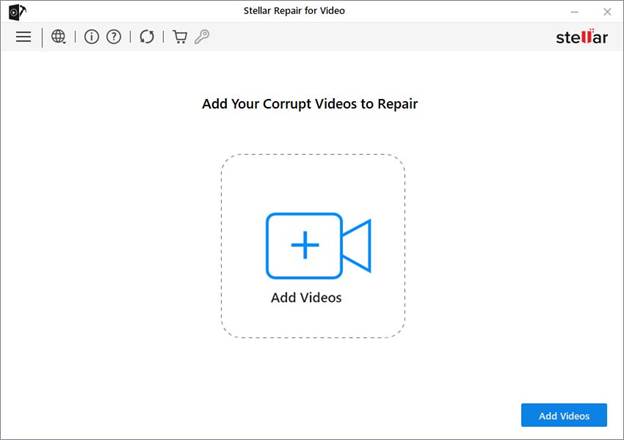
  1. Click Add Video and select the corrupted MP4 files. You can add many at once.
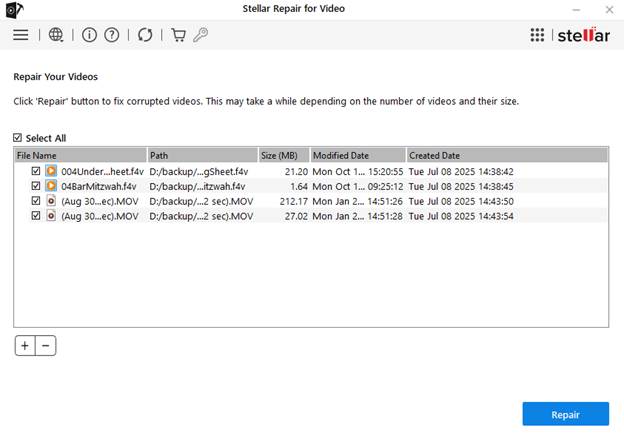
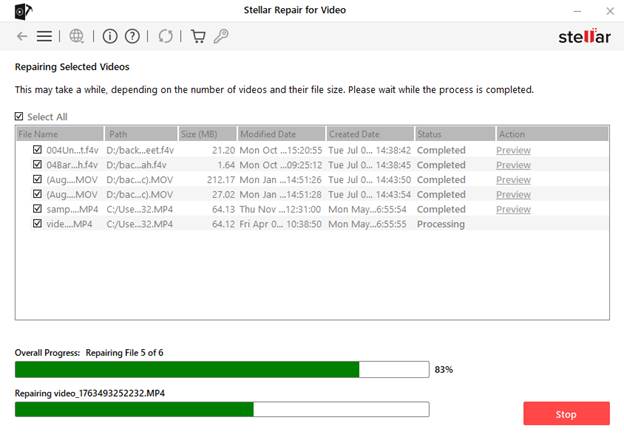
  1. Click Repair and let the software scan and fix the files.
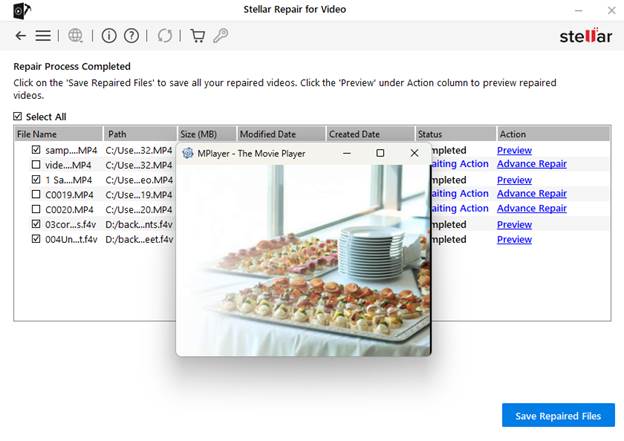
  2. If the damage is severe, the software suggests Advanced Repair. Add a sample file from the same device and run it.
  1. Preview the repaired videos and save them to the location you want.

The free demo lets you preview the repaired video up to 20% of its size, so you can check the result before you decide to buy the repair tool.

Which one should you use?

Both tools use the same repair approach. The difference is how and where you use them.

Stellar Online Video RepairStellar Repair for Video
DeviceAny browser, no installationWindows and Mac desktop software
File sizeUp to 5 GB per fileNo file size limit
Batch repairPlan covers 10 files a monthUnlimited files, mixed formats
Free optionRepairs 1 file up to 100 MBFree download and repair but saving file requires a paid subscription
Best forQuick fixes, small to mid-size clips, no software accessLarge 4K files, many files batch repair
Money Back GuaranteedNoYes, 30 Days

Both tools are similarly capable, hence, a smart decision is to start online if the file is small and you want a fast fix. Move to the desktop software if the file is big, there are many files, or the online tool does not suit your needs.

Manual methods you can try first

Manual fixes are worth a quick try, though they only help with minor damage:

  • Copy the file again with different hardware. Try another cable, port or card reader, or copy the file from the original card if you still have it.
  • Try VLC Media Player. Renaming the file to .avi and turning on VLC’s “Always fix” option for damaged files can rebuild the index in some cases. Results vary, so keep the original copy safe.

How to Avoid Corrupt Transfers from Next Time?

  • Always eject the drive or card safely.
  • Make sure the destination has enough free space.
  • Avoid copying when the battery is low.
  • Use a good cable and a reliable card reader.
  • Keep the original on the card until you have played the copy.

End notes

Even after a transfer error, your video is often still repairable. If you can copy the file again, do that first. If you cannot, or if the new copy fails too, a repair tool is your next step. Stellar Online Video Repair gives you a quick, no-install fix, and Stellar Repair for Video handles large, severe and batch cases on your desktop. Between them, you can cover almost any corrupted MP4 situation. Stellar has been working in data care for years and serves over 3 million customers across more than 190 countries.


DISCLAIMER – “Views Expressed Disclaimer – The information provided in this content is intended for general informational purposes only and should not be considered financial, investment, legal, tax, or health advice, nor relied upon as a substitute for professional guidance tailored to your personal circumstances. The opinions expressed are solely those of the author and do not necessarily represent the views of any other individual, organization, agency, employer, or company, including NEO CYMED PUBLISHING LIMITED (operating under the name Cyprus-Mail).

  •  

Gary Vaynerchuk knows where he'd start if he were 16 and launching a business today

Gary Vaynerchuk
Gary Vaynerchuk has some advice for aspiring young entrepreneurs.

Chelsea Guglielmino/Getty Images

  • Gary Vaynerchuk shared what he'd do as a young entrepreneur starting out today.
  • The first investment should be time spent making content and learning AI, he said.
  • He said AI could be a once-in-a-generation opportunity for young founders — one as transformative as the internet.

Gary Vaynerchuk, 50, says aspiring entrepreneurs should spend every spare minute mastering AI and content creation.

During a Thursday appearance on the "Nude Project" podcast, Vaynerchuk shared how he would approach starting a business today as a 16-year-old with 1,000 euros in capital. The podcast is hosted by Bruno Casanovas and Alex Benlloch, founders of the Spanish streetwear brand Nude Project.

"I would make content," Vaynerchuk said. "The dollars don't scare me at all because it takes no dollars. I would spend every ounce of time learning AI. Like, from what OpenClaw is to Claude Code, to using it to think and ponder my ideas."

Vaynerchuk said he understood why people were still weighing AI's enormous potential against its possible drawbacks, but believes it will be a missed opportunity "to not take advantage of how profound this technology is."

"Much like the internet, much like computers, much like electricity, there will be pros and cons to big technologies. That is the story of man. That is life," Vaynerchuk said.

"This is the most opportunistic technology that has ever been invented," he continued.

Vaynerchuk then pointed to the founders' own success as proof of the internet's power, and said that younger generations often underestimate its impact because they have never known a world without it.

"For 7-year-olds right now, they will never understand how profound AI is," he said.

Vaynerchuk added that young people should use their free time to learn content creation, strategy, app-building, and how to use AI throughout their lives.

He said AI tools and agents could automate chores, save money, and find sold-out items at the best price.

If he were 16 today, he would fully immerse himself in learning tools such as Grok, Gemini, Nano Banana, and Higgsfield. "Everything, everything, everything. All of it," Vaynerchuk said.

The entrepreneur has long been optimistic about AI's potential. In 2023, he said the technology was "coming fast" and that he believed workers could adapt to the disruption it'd bring.

AI tools are lowering the barriers for startup founders and small-business owners to create marketing content, build early product prototypes, and automate routine tasks that once required a bigger budget, specialized expertise, or additional staff.

At the same time, as those tools become more accessible, creativity may be the defining factor in standing out.

Read the original article on Business Insider
  •  
❌