Years ago, when people asked Geoffrey Hinton why he worked on artificial intelligence, he would repeat a line from J. Robert Oppenheimer, one of the creators of the atomic bomb: “When you see something that is technically sweet, you go ahead and do it.”
Computer scientist and Nobel Prize in Physics laureate Geoffrey Hinton during the Starmus Festival 2026, held this Tuesday in the municipality of Arona in Tenerife.
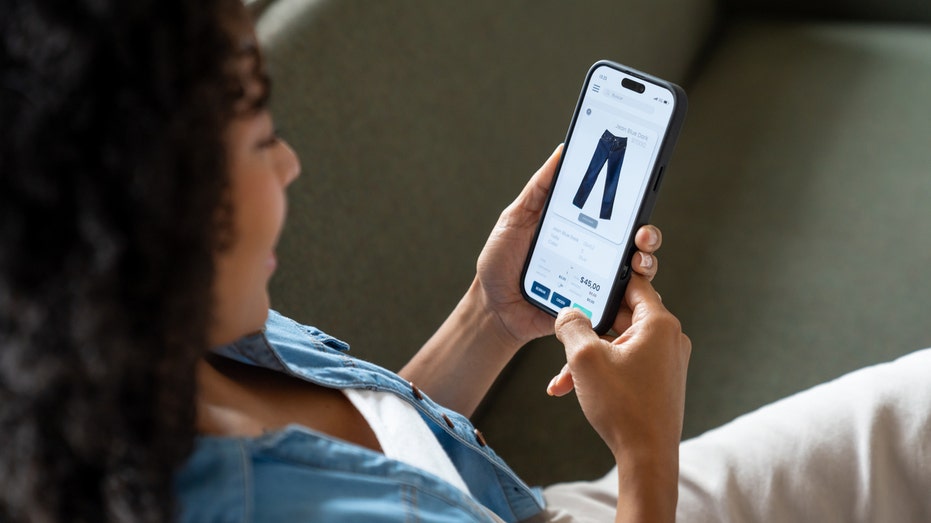
Have you ever found something you wanted to buy, only to wonder whether the price might drop next week? Maybe it's a new pair of headphones, a kitchen appliance or a gift you've had your eye on. You could keep checking the website every day, but who has time for that?
Here's something you may not realize. Your phone can help watch prices for you. Apple's Safari browser has a feature that monitors website changes, while Google's shopping tools offer price tracking on supported products.
That means you can spend less time refreshing product listings and more time deciding whether a deal is actually worth your money. I'll show you how to set up these alerts on an Apple iPhone, Samsung Galaxy and Google Pixel.
Join our upcoming CyberGuy LIVE class: 5 Ways to Travel Smarter and Save Money
In this free live online class, Kurt "CyberGuy" Knutsson will share five practical ways to protect your trip and your wallet this holiday travel season. You’ll learn how to secure your phone and personal information, find better travel deals, avoid common scams, save money on bookings and use technology to make your travels easier and less stressful. No technical experience is needed.
Join us Saturday, Oct. 31, at 11 AM ET/8 AM PT. Register free now at CyberGuyLive.com.
How to get price-drop alerts on iPhone running iOS 27
Apple introduced a feature called Notify Me in Safari with iOS 27. Instead of returning to a website to see whether something has changed, you can tell Safari what to watch. For example, you might ask Safari to notify you when a pair of headphones drops below $150. You could also monitor a sold-out item and get an alert when the website indicates it's available again.
Unlike a traditional price tracker, Safari can look for other changes on a webpage, too. However, the feature doesn't work with every website, and alerts depend on Safari detecting the requested change.
Important: Notify Me requires Apple Intelligence. It works on compatible models, including the iPhone 15 Pro, iPhone 15 Pro Max and iPhone 16 or later. The standard iPhone 15 and iPhone 15 Plus do not support Apple Intelligence.
Steps to set up Safari Notify Me
Open Safari on your iPhone.
Visit the product page you want to monitor.
Tap the Page Menu button in the address bar. It may appear as a puzzle piece.
Select Notify Me.
Choose a suggested request or enter what you want Safari to watch, such as "Notify me when the price drops below $150."
To change how often Safari checks the webpage, tap Edit and select your preferred interval.
Tap the checkmark to finish.
Allow notifications if your iPhone asks for permission.
Safari checks the page at your selected interval and sends a notification when it detects the change you requested. The available checking intervals include hourly, daily, weekly and monthly options. You can also use Notify Me for something other than shopping, such as watching for event tickets or a registration page to open. Just remember that updates are not necessarily instantaneous.
Can you track prices on an iPhone without Apple Intelligence?
Yes. If you have a standard iPhone 15 or another model that doesn't support Safari Notify Me, you can use Google Chrome instead. Google offers Chrome price tracking on iPhones running iOS 15 or later, including iOS 27. It works on supported product pages and requires a signed-in Google Account, history synchronization and the necessary browsing settings.
Steps to track prices using Chrome on iPhone
Open Google Chrome on your iPhone.
Visit the webpage of the product you want to track.
Tap the three-dot More menu.
Look for and select Track Price, if available.
Scroll through the available products and select the one you want.
Tap Track, then Done.
Allow Chrome notifications when prompted.
To manage tracked products, look for Track Price in Chrome's three-dot menu. You may also find alert controls under Chrome > three-dot menu > Settings > Notifications. The exact options can vary by Chrome version and account.
Don't see Track Price? The option may not be available for that product or your account. You can also try searching for the product in the Google app and looking for a price-tracking option in its shopping results.
How to get price-drop alerts on Samsung Galaxy and Google Pixel
Samsung Galaxy and Google Pixel owners can use Google's shopping tools to track products and receive alerts when prices fall. The easiest place to start is the Google app, which works similarly on both phones. Chrome may also show price-drop indicators on shopping pages you've left open.
How to track a product using the Google app
Open the Google app on your Samsung Galaxy or Google Pixel.
Tap the search bar at the top of the screen.
Type the name of a product you want to buy, such as Samsung Galaxy Buds3 Pro, then tap Search.
Look for a picture of the product with its name and price in the search results. You may need to scroll down.
Tap the product's picture or name to see more details.
Look for Track price or a bell-shaped price-tracking icon and tap it if available.
Select your preferred size, color or other options if asked.
Choose the price you want to pay if Google gives you that option.
Tap OK to confirm.
Google can send you a notification on your phone or an email when the product reaches your selected price. Make sure you're signed into your Google Account and have notifications enabled.
Don't see Track price? Go back to your search results and tap Shopping near the top of the screen. Select the product you want and look for Track price again. Google doesn't offer price tracking for every product, and the option may not appear for every account.
How to track prices directly in Chrome on Android
There's another handy option for Samsung Galaxy and Google Pixel owners. Chrome can actively track prices on supported product pages and alert you when they drop. That means you don't have to leave a shopping tab open and keep checking it yourself.
Here's how to get started:
Open Chrome on your Samsung Galaxy or Google Pixel.
Visit the product page you want to monitor.
Tap the three-dot More menu in the upper-right corner.
Select Track prices, if available.
If Chrome displays a first-time introduction, tap Show me.
Follow any remaining prompts to enable tracking.
You can find your tracked items under Chrome > three-dot menu > Bookmarks > Tracked products. To manage alerts, go to Chrome > three-dot menu > Settings > Google services > Getprice tracking notifications. From there, you can adjust mobile and email notifications. Keep in mind that this feature only works on supported product pages. You'll also need to be signed into Chrome with your Google Account, enable syncing for tabs and browsing history and turn on Make searches and browsing better.
Google's new Universal Cart adds another way to track prices
Google introduced Universal Cart in the United States earlier this month. The feature is rolling out across Google Search and the Gemini app, giving shoppers another way to keep track of products without constantly checking different websites. Universal Cart lets you save items from multiple retailers in one place. Once you've added a product, Google's shopping tools can monitor its price and alert you when the cost drops or an out-of-stock item becomes available again. The cart can also identify promotional codes and suggest payment options that may help you save money.
For example, if you're shopping for a new TV, you can save models from different stores and let Google watch for price changes. When you're ready to buy, you can complete eligible purchases through Google Pay or finish checkout directly on the retailer's website. Universal Cart is rolling out in the U.S., so it may not appear in every account immediately. It's another option worth checking if you already use Google Search or Gemini to shop.
Why your phone might not show the price-tracking option
If you don't see Notify Me or Track price, the feature may be unavailable for your phone, account or shopping website. Start by checking that your apps and browser are updated. On iPhone, Safari Notify Me requires a compatible device with Apple Intelligence enabled. For Google's shopping tools, make sure you're signed into your Google Account. Chrome may also require additional browsing or synchronization settings for certain shopping features.
Some product pages simply don't support tracking. In that case, try another retailer's listing for the same item. Google's price-tracking features are available in supported countries, including the United States, although availability varies by product and account.
Three things to check before buying after a price alert
A lower price can be tempting, especially when a notification pops up while you're doing something else. However, I wouldn't rush to check out without checking a few details.
Look at the price history. Chrome's Shopping Insights can show historical pricing on eligible products. That can help you determine whether today's discount is unusually good or fairly common.
Check the total cost. Shipping fees, taxes and optional extras can change how much you actually pay. Compare the final checkout price, not just the advertised discount.
Make sure you're buying the right version. A lower price might apply to a different storage capacity, color, model year or product condition. Check the details before placing an order.
A price alert tells you something has changed. It doesn't necessarily mean you've found the lowest available price.
A quick privacy consideration
Price tracking comes with a privacy trade-off worth understanding. Google's shopping tools use your Google Account to manage tracked products and alerts. Certain Chrome shopping features may also require additional browsing information or settings, including Make searches and browsing better. You should review those options before enabling them.
That setting allows Chrome to share browsing-related information with Google to improve its services. You can review these options under Chrome > 3 dots in the upper right >Settings > Google services. Apple's Safari Notify Me uses Apple Intelligence to monitor webpages for requested changes. Before enabling either feature, consider whether the convenience is worth the information and permissions involved.
One more shopping safety tip
Be careful about clicking price-drop alerts or shopping links from unfamiliar senders. Scammers can create fake sale notifications that lead to fraudulent websites. Strong antivirus software can provide an additional layer of protection by helping detect malicious links, phishing attempts and other online threats. Get my picks for the best 2026 antivirus protection winners for your Windows, Mac, Android and iOS devices at CyberGuy.com.
Kurt's key takeaways
I've lost count of how many times I've looked at something online, decided to wait and then completely forgotten to check whether the price dropped. That's why I like having my phone do some of the watching for me. With Safari's Notify Me feature in iOS 27, compatible iPhones can monitor more than just prices.
Meanwhile, Google's shopping tools can help Samsung Galaxy and Pixel owners follow prices on supported products, while Chrome offers additional shopping features on compatible devices. My advice is to start with something you actually need, especially a larger purchase where a price drop could save you a meaningful amount. Set up an alert and see what happens. You might save some money without spending your evenings hunting through shopping websites.
Have you ever bought something only to see the price drop a few days later? Would you trust your phone to watch prices for you, or do you prefer hunting for deals yourself? Let us know by writing to us at CyberGuy.com.
Sign up for my FREE CyberGuy Newsletter
Get my best tech tips, urgent security alerts and exclusive deals delivered straight to your inbox.
For simple, real-world ways to spot scams early and stay protected, visit CyberGuy.com –trusted by millions who watch CyberGuy on TV daily.
Plus, you'll get instant access to my Ultimate Scam Survival Guide free when you join.
China slammed the Trump administration’s move to sanction five Chinese companies linked to a former Google engineer accused of intellectual property theft, calling it “egregious.” The State Department announced the sanctions on Monday, stating the firms are connected to Chinese national Linwei Ding, who was convicted earlier this year of stealing AI-related trade secrets from…
China slammed the Trump administration’s move to sanction five Chinese companies linked to a former Google engineer accused of intellectual property theft, calling it “egregious.” The State Department announced the sanctions on Monday, stating the firms are connected to Chinese national Linwei Ding, who was convicted earlier this year of stealing AI-related trade secrets from…
Former Google CEO Eric Schmidt said AI could make companies flatter by taking over some planning and coordination work.
Bloomberg/Getty Images
AI is changing how executives oversee their companies, Eric Schmidt said on the "In Good Company" podcast.
Google's former CEO described several ways execs he knows use AI agents to manage staff.
He described one company that uses AI assistants to ensure that staff are following its core values.
Eric Schmidt thinks the CEO of the future will have an AI assistant that can see across the entire company. For employees whose job is to keep a sprawling business coordinated, that could be bad news.
In an episode of the "In Good Company" podcast, the former Google chief executive described assistants that check whether company activity aligns with a leader's values, follow up on projects, and help identify ways to increase profits.
He argued that the technology could make businesses faster and flatter, with fewer people needed to plan, relay information, and move numbers around.
Schmidt sees little time for companies to adjust. He said competition in AI is fiercer than the PC-versus-Mac or Android-versus-iPhone battles: a model can take roughly six months to build, another two to test, and then be overtaken within five months of release.
"Time compresses every cycle," he said.
He also rejected the idea that AI is a bubble, pointing to Anthropic's rapid revenue growth. Schmidt said the company had grown faster than a record set during his time at Google, calling it "real money with real customers."
The changes he envisions are already visible in smaller experiments, he said. Schmidt gave the example of two founders he knows who ask an AI assistant every Friday to flag anything happening at their company that conflicts with their values.
Another executive created an AI version of himself that checks on an employee's progress, gives him instructions, and responds when he needs help, Schmidt said. That exchange sounded potentially abusive and worried him, he added, though he also saw how it sped up the executive's decisions.
Schmidt said his days as CEO were consumed by meetings, 12 hours a day, five days a week, as he listened to people explain projects and decisions. He thinks AI platforms can eliminate much of that "coordination tax": the effort of gathering updates, passing them upward, and keeping teams aligned.
For a company with 10,000 employees, Schmidt guessed AI could leave "a couple of thousand people who you don’t need."
He cited a friend whose fast-growing company cut 20% of its staff, including the "glue people" who handled planning and coordination. The friend later told Schmidt he had received death threats over the cuts.
Schmidt said companies would still need people who build products, make sales, speak with regulators, and lead teams. His advice to workers whose roles were disappearing was that executives should transition them "legally and humanely."
Hace años, cuando la gente preguntaba a Geoffrey Hinton por qué trabajaba con la inteligencia artificial, él repetía una frase de Oppenheimer, uno de los creadores de la bomba atómica: “Cuando ves algo grandioso, sigues adelante y lo llevas a cabo”. Ya no lo dice. Ahora se dedica a alertar sobre los peligros de continuar la carrera que él mismo empezó. Confiesa que, en parte, se arrepiente del trabajo al que ha dedicado una vida. Su reconversión de padrino de la IA a profeta de la catástrofe marcó un punto de inflexión en la industria. Sucedió en 2023, cuando abandonó su puesto como vicepresidente de Google entre advertencias funestas. Entonces, algunos vieron su reacción exagerada. Tres años después, muchos han seguido sus pasos.
El científico computacional y Premio Nobel de Física Geoffrey Hinton durante el Festival Starmus 2026 que se celebra este martes en el municipio de Arona en Tenerife.
É fácil acumular separadores. Também é útil, mas o computador pode começar a perder capacidade de desempenho. Saiba o que fazer. Provavelmente já passou por esta situação irritante: manter dezenas ou centenas de separadores abertos no navegador pode consumir grande parte da memória RAM e tornar o computador mais lento. No entanto, muita gente não sabe que tanto o Google Chrome como o Microsoft Edge, por exemplo, têm ferramentas que permitem resolver o problema sem fechar as páginas. O problema é que as páginas web, atualmente, já não são simples documentos estáticos. Cada separador funciona como uma pequena aplicação, que
Eric Schmidt, the former Google chief executive and Democrat mega-donor, holds a one percent stake in Anthropic that traces back to an early investment of millions in the AI startup. This stake could add up to $10 billion to Schmidt's net worth when the company notable for its AI doomer messages goes public.
Outage shows danger of growing reliance on small number of big companies for our digital infrastructure, say experts
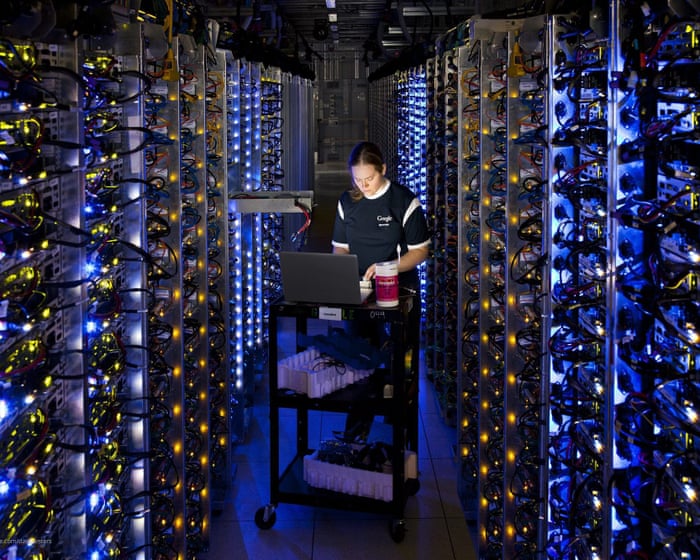
It happened again. A power outage hit a datacentre in London, and things cascaded from there: multiple banking services faltered, court hearings were put on hold and patients reported temporary glitches on the NHS app.
The datacentre in question was in Google’s europe-west2-b zone, one of over a dozen “zones” that the US search giant maintains in Europe to service its clients.
Take a look inside your wallet. There is a good chance at least one piece of plastic in there does little more than display a barcode. Maybe it is your library card. Perhaps it is a gym membership, grocery rewards card or another card you pull out every once in a while. Until now, getting some of those cards onto an iPhone could depend on whether the organization offered its own digital pass. Apple is changing that with iOS 27.
The latest iPhone software lets you create your own pass in Apple Wallet from a physical card, photo or screenshot. Samsung Galaxy and Google Pixel owners have similar options, which means you may be able to leave a few more plastic cards at home. Here is how to turn a membership card into a digital pass on all three phones.
Join our upcoming CyberGuy LIVE class: 5 Ways to Travel Smarter and Save Money
In this free live online class, Kurt "CyberGuy" Knutsson will share five practical ways to protect your trip and your wallet this holiday travel season. You’ll learn how to secure your phone and personal information, find better travel deals, avoid common scams, save money on bookings and use technology to make your travels easier and less stressful. No technical experience is needed.
Join us Saturday, October 31, at 11 AM ET / 8 AM PT. Register free now at CyberGuyLive.com.
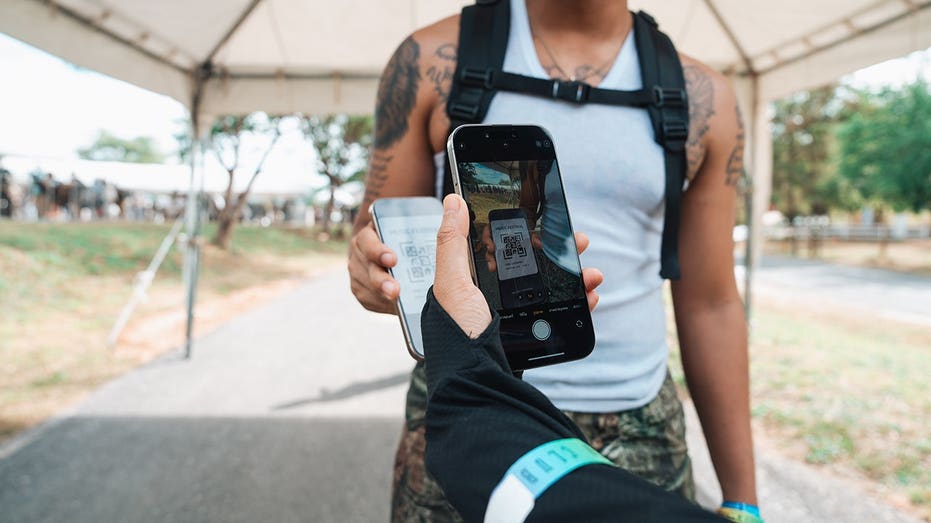
Apple added the ability to create your own passes in Wallet with iOS 27. This comes in handy when a membership or loyalty card has a barcode or QR code, but the organization never gave you an "Add to Apple Wallet" button. Apple specifically points to library cards and gym memberships as examples.
If you have an Apple Intelligence-compatible iPhone, you can create a pass from a photo or screenshot containing the barcode or QR code. Apple Intelligence recognizes the code and can give you the option to add it to Wallet.
Apple Intelligence on iOS 27 requires a supported device, including the iPhone 15 Pro, iPhone 15 Pro Max or iPhone 16 family and later compatible models. Availability can also depend on your language and region. However, Apple also gives you a manual way to create a pass directly inside Wallet.
How to create an Apple Wallet pass from a photo or screenshot
First, make sure the barcode or QR code is clearly visible. A blurry photo could make the code difficult for your iPhone to recognize or for a scanner to read later. On a compatible iPhone, Apple Intelligence can recognize the barcode or QR code in a photo or screenshot and offer to create a Wallet pass.
On a compatible iPhone running iOS 27 or later:
Take a photo or screenshot that includes the barcode or QR code.
Tap Add Pass to Wallet when the option appears. If you're viewing an existing photo in the Photos app, tap the Info button or swipe up to find that option.
Follow the on-screen instructions.
Pro tip: After you create the pass, you can tap View Original Photo to see the image you used.
How to manually create a pass in Apple Wallet
You can also build a pass yourself in iOS 27. This gives you another option when you want to add the information manually.
Open the Wallet app on your iPhone.
Tap the + button, then tap Create a Pass.
Tap Create Pass Manually, then choose a template.
Tap any field to enter or edit its information.
When you're finished, tap Done.
How to edit a pass you created in Apple Wallet
Once you've created a pass, you can customize its appearance or change the information it contains. You can also add or remove fields if you want different details displayed.
Open the Wallet app.
Tap the pass you want to change.
Tap the More button, then tap Edit Pass.
To change the background or color, tap the paint palette button.
To change which fields appear, tap the Edit button > Add or Remove Fields, then select the fields you want.
To change information already on the pass, tap the field you want to edit.
Samsung Galaxy owners already have a similar option through Samsung Wallet. Samsung says almost any membership card with a barcode can be stored in the app.
On a Galaxy phone running the latest available Samsung software:
Open Samsung Wallet.
Tap All.
Tap Memberships.
Choose how you want to add the card.
Select Import from Gallery if you already photographed it, or choose Take a picture to scan its barcode or QR code.
You can also choose the option to enter membership information manually.
Follow the onscreen instructions to save the card.
Samsung also supports participating memberships that are already built into Wallet. Once you need the card, open Samsung Wallet and select the membership. The barcode can then appear on your screen for a cashier or compatible reader to scan. Menu names can vary slightly depending on your Galaxy model and Samsung Wallet version.
How to turn a membership card into a Google Wallet pass on Pixel
Google Wallet can save passes from images when they contain a barcode or QR code. Google specifically lists library cards, gym passes and parking passes as examples.
On a Google Pixel running the latest software:
Take a clear photo of the card and make sure its barcode or QR code is easy to see.
Open Google Wallet.
Tap Add to Wallet.
Tap Photo.
Tap Manual.
Tap the photo library icon.
Choose the photo of your card.
Add a name and description for the pass.
Tap Add.
When you need the card, open Google Wallet and select the pass. You can then scan its barcode or QR code at the reader.
Tip: Google also lets you return to the original image you used to create the pass. Open the pass and tap the More button in the upper-right corner to find the original image.
You may also see Everything else under Add to Wallet. Google uses this option for creating other types of passes from a photo. Select Everything else, accept the consent terms if prompted, then take a photo or choose one from your phone. Google will preview the information it detects so you can review and manually edit it before tapping Add.
What kinds of cards should you try?
Start with cards whose main purpose is giving a business or organization a barcode or QR code to scan. A library card is an obvious candidate. Gym memberships and store loyalty cards may work well, too. Parking passes and other simple barcode-based credentials can also be good candidates, depending on how the organization verifies them.
The easiest test is to look at the physical card. If the person behind the counter normally scans a static barcode or QR code printed on it, there is a reasonable chance a digital version can work. Keep the physical card until you have successfully tested the digital version. Some scanners may have trouble reading a phone display, and some organizations may require the original card.
What these homemade digital passes cannot replace
There is an important limit here. Creating a digital pass from a photograph does not turn every card in your wallet into an official digital credential. Do not assume you can photograph a driver's license, credit card, secure workplace badge or another sensitive credential and use the resulting image as an official replacement.
Some digital credentials require verification from the organization that issued them. Payment cards also have separate security and enrollment requirements. Event tickets deserve extra caution. Many ticketing services now use barcodes that refresh or change to prevent fraud. A screenshot of one of those codes may fail at the gate. Whenever an issuer provides an official Add to Apple Wallet, Add to Google Wallet or Samsung Wallet option, use that instead.
I like this iOS 27 addition because it fixes a surprisingly annoying limitation. I have had plenty of cards with perfectly usable barcodes that could not go into Apple Wallet simply because the organization behind them never created a digital pass.
Now Apple is giving iPhone owners more control over that process. Samsung and Google already offer useful ways to accomplish something similar, so this is one of those rare phone features that can help you regardless of which of the big three you carry.
I would start with the low-risk stuff. Put your library card or gym membership on your phone and see how it goes. If it saves you from carrying another card around every day, great. Just remember that a photo-based pass and an official digital credential are very different things. Your phone can replace more of your wallet than it used to, but I would not empty the whole thing yet.
If your phone could replace every card in your wallet tomorrow, which physical card would you be most nervous about giving up for good? Let us know by writing to us at CyberGuy.com.
Sign up for my FREE CyberGuy Newsletter
Get my best tech tips, urgent security alerts and exclusive deals delivered straight to your inbox.
For simple, real-world ways to spot scams early and stay protected, visit CyberGuy.com – trusted by millions who watch CyberGuy on TV daily.
Plus, you'll get instant access to my Ultimate Scam Survival Guide free when you join.
Alguns dos serviços da Google Cloud, a divisão da empresa dedicada à infraestrutura cloud, estão a passar por um período de instabilidade. Serviço da Revolut também está com erros.
Google's cloud division competes with Amazon and Microsoft for enterprise customers.
Bloomberg/Getty Images
Multiple banking apps in the UK, including Revolut, faced disruptions on Tuesday morning.
Google Cloud experienced issues with its London-based cloud region and has since said services are coming back.
Revolut said in a statement that customers' money was safe while it investigated the disruption.
Google said it had largely resolved a cloud outage that appeared to knock out a number of online banking services.
The company said in an update at around 10 a.m. ET on Tuesday that the problem had been mitigated for the most part, with "a very small number" of customers still experiencing issues.
Google had said the outage had been caused by a "power event" at its europe-west2-b zone, which is based in London.
A handful of banking apps and services, including Halifax and Revolut, reported issues on Tuesday that coincided with Google Cloud's disruptions. Some companies said that the Google Cloud outage was the cause, while others attributed it to an unnamed third-party provider.
Users of some affected banking apps said in social media posts early Tuesday that they couldn't make card payments, log in to the app, or transfer money.
"We can confirm that all our customers' money and data are safe. We've been working to fix the issue since it was identified this morning and apologize to anyone affected and for any inconvenience caused," Revolut said in a statement earlier in the day.The outage was due to Google Cloud, a person familiar with the matter said.
"We're aware some customers are having issues with our app and online. We're sorry about this and are working hard to fix it," Halifax posted on X.
Emma, a popular UK budgeting app, also reported outages on Tuesday. "Emma is currently down due to a Google Cloud outage affecting services in London since 7 a.m. This is a technical outage, not a security issue," the company said on X.
Some took to X to share how the outage was disrupting their lives. One person said they'd had to cancel their beauty appointments in Japan, and another said their card was declined at the airport and they couldn't reach the support team.
Emma is currently down due to a Google Cloud outage affecting services in London since 7am. This is a technical outage, not a security issue. We're monitoring closely and will update here as soon as the app is back. Sorry for the disruption 🙏
The outage appears to have affected non-finance companies, too, according to Downdetector, a site that tracks online service disruptions.
Earlier on Tuesday, an X account for DPD, a delivery service, said in a post that its website was affected, and the web-hosting platform SiteGround said the outage has hit its UK data center. SiteGround said in its post that its engineers were working with Google Cloud engineers to address the issue.
The UK's courts and tribunal service said that it was experiencing issues with its cloud-based video tools for remote hearings on Tuesday. "We're working with our technology partners to restore service," an account for the government service wrote in an X post.
The Google Cloud outage comes as the tech giant has competed with Amazon and Microsoft to win business from enterprises, startups, and governments, particularly amid the AI boom. Reliability is a big promise built into these deals, as outages can have costly consequences for customers.
Google is not alone in being affected by outages, though: Amazon, Microsoft, and others have suffered downtime this year.
Pagare con la carta e ritirare denaro agli sportelli, per gli utenti Revolut, martedì 20 ottobre non è stato possibile. I servizi in rete della banca non sono operativi e fin dal mattino si sono registrati problemi di autenticazione sulla app e sul sito online. All’origine dei problemi ci sono interruzioni di servizi di Google Cloud nella regione di Londra. “Stiamo attualmente riscontrando un’interruzione che interessa diversi servizi. Possiamo confermare che il denaro e i dati di tutti i nostri clienti sono al sicuro. Ci scusiamo con tutti coloro che ne sono stati colpiti per gli eventuali disagi causati”, ha comunicato Revolut sul proprio account X.
Il problema a Google Cloud ha interessato il data center Europe-west2 di Londra: il colosso di Mountain View parla di “elevati tassi di errore” e “interruzioni intermittenti della rete”, spiegando che gli ingegneri sono al lavoro per risolvere il guasto, di cui al momento non si conoscono le cause. Oltre a quelli Revolut, il problema ha mandato in tilt i servizi online di altre aziende: il sito Downdetector riporta centinaia di segnalazioni di disservizi rispetto alle banche britanniche Lloyds e Hsbc, al sito immobiliare Rightmove, alle poste Royal Mail, al gruppo telefonico Bt al corriere Dpd.
Revolut ha restablecido todos sus servicios después de sufrir una caída que ha impedido operar con normalidad a sus clientes durante la mayor parte de este martes. La incidencia, provocada por una caída de los sistemas de Google Cloud, ha afectado a los pagos con tarjeta, las transferencias, las retiradas de efectivo y el acceso a las cuentas o a la operativa en Bolsa, entre otros.
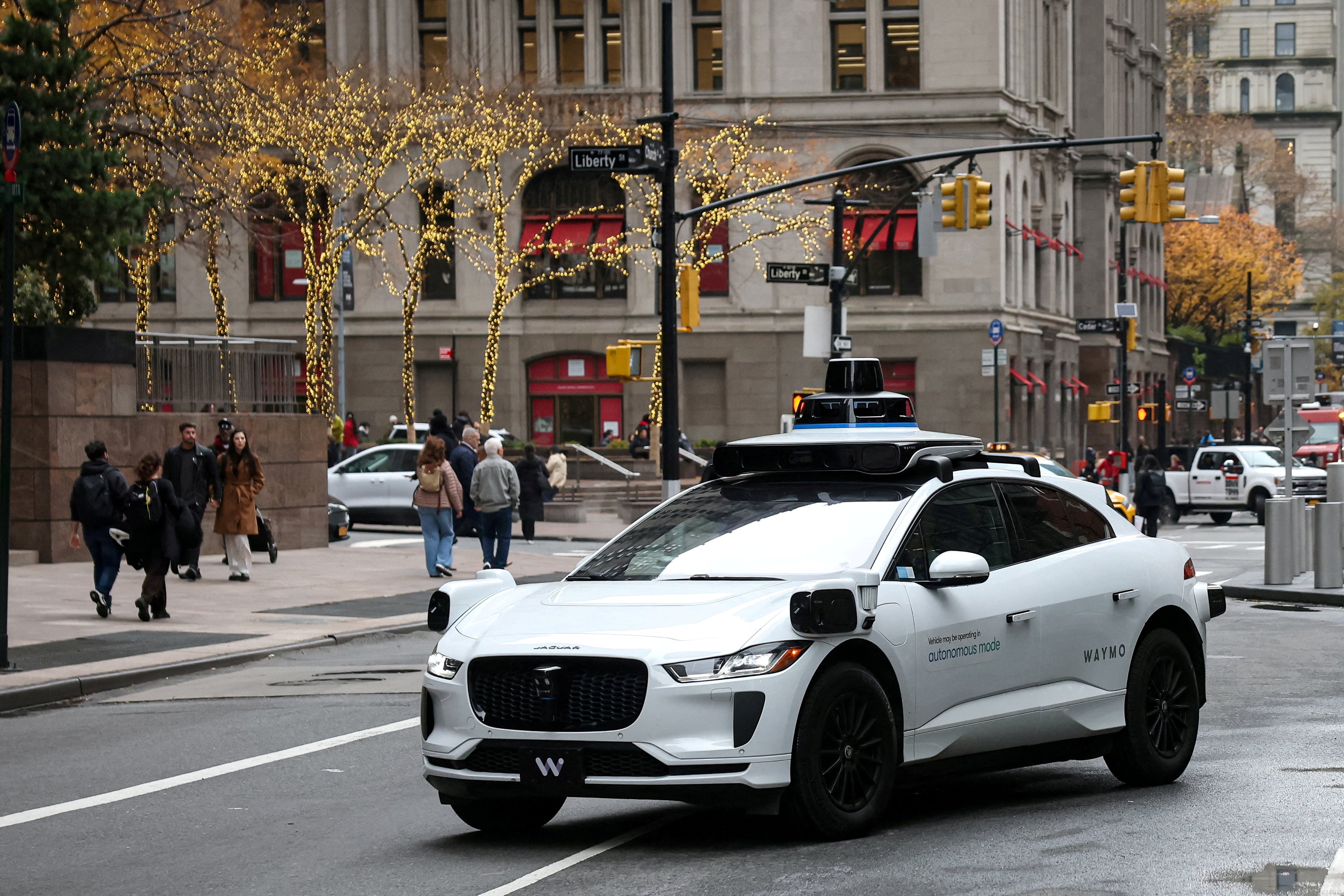
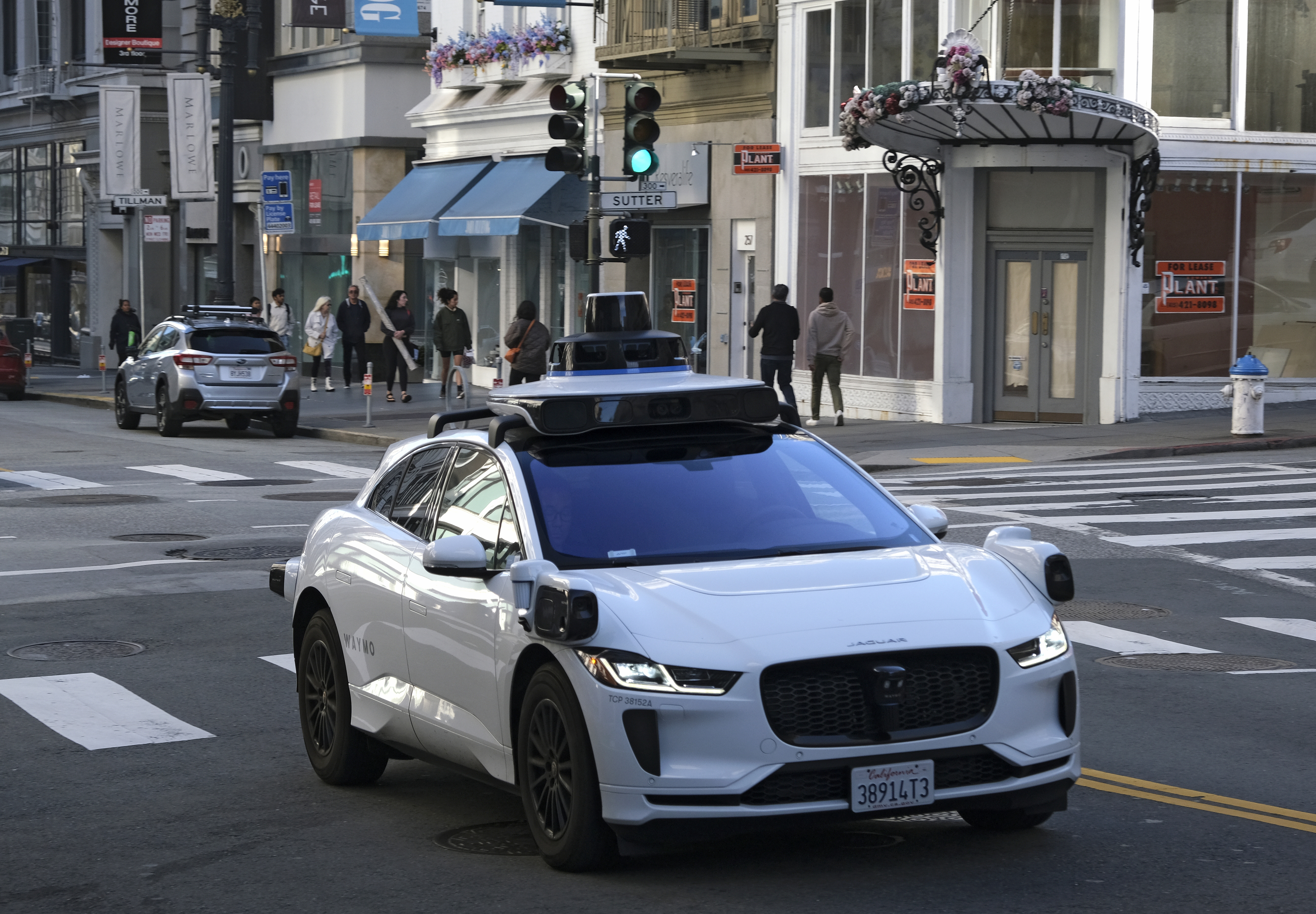
Los coches eléctricos y totalmente autónomos Waymo, de Alphabet (empresa matriz de Google), desembarcarán en los próximos días en la Comunidad de Madrid. En un primer momento lo harán en periodo de pruebas, con la idea de estar ya totalmente operativos en la región a partir de 2027. Así lo ha anunciado hoy la compañía, que también ha especificado a este diario que los coches rodarán en entornos urbanos reales en Madrid capital, Alcobendas y Getafe. Es decir, en lugares en los que hay peatones, cuya visualización y gestión supone para estos vehículos el principal desafío técnico (y el mayor peligro público).
Google is injecting more AI into the interview process.
The company has been testing a new format that tests candidates on their AI fluency.
The pilot has recently rolled out more broadly across Google, internal docs show.
AI is changing how Google employees work — and how Google hires them.
The company has been testing several AI-related changes to its hiring process for software engineers, according to documents reviewed by Business Insider. These changes, which Google has been rolling out in phases throughout this year, include allowing the use of AI in coding interviews and permitting interviewers to use Gemini to give candidates feedback.
Many engineers are also now expected to show some degree of AI fluency as a bare minimum, the documents show.
In May, Business Insider reported that Google was piloting ways to integrate AI into the interview process with a small handful of orgs. This included a new "code comprehension" interview in which candidates are assessed on AI fluency and prompt engineering. Candidates can also use Google's Gemini AI as an assistant during the interview.
The new formats have since been rolled out more broadly across the company, according to the internal documents. However, a spokesperson said they were still considered to be in the pilot phase for now.
"We're piloting updates to our interview process for software engineers, including evaluating for AI fluency, to be more reflective of how our teams are operating," Brian Ong, vice president of recruiting at Google, told Business Insider in a statement.
Like other companies, Google is adapting its hiring process to keep pace with the huge transformation AI is having on software engineering. As developers increasingly rely on AI coding assistants, hiring companies want to know how competent they are with these tools.
In April, Google said that three-quarters of new code created at the company is generated by AI and reviewed by humans, a trend that has since continued across the tech industry. Google has said that its employees are increasingly using the company's own Gemini models to both improve other Google products and to build the next generation of Gemini.
The documents say that for some roles, including software engineering, AI fluency and AI product integration are now used as measures of a candidate's abilities. A Google spokesperson said that AI fluency is a requirement for all software engineering jobs, while AI product integration is required for most roles outside entry-level positions.
Google is also piloting the use of Gemini for interview transcription and note-taking in some job interviews conducted via the company's videoconferencing platform, Google Meet, one document shows.
Google wants to speed up the feedback process using AI, too. The same document states that Google is working to enable interviewers to use Gemini to draft role-tailored feedback.
As Google builds out this new interview system, employees were told they may be asked to participate in some of the pilots — but were warned against using AI tools to generate their own interviewing "solutions."
"Do not use GenAI or LLMs to create your own standalone solutions or agents for hiring or interviewing use cases," the document states, referring to large language models.
Revolut customers have been unable to access their money after the banking app went down, affecting a number of services including card payments, cash withdrawals and transfers.
The UK banking company said its app was down because of a “service disruption” affecting several services, but insisted that customers’ funds and data were safe.
Dicha modificación elevó de 80 a 1.000 toneladas el umbral de almacenamiento de combustible diésel permitido antes de que un proyecto deba ingresar obligatoriamente al sistema de evaluación.
Todos hemos escuchado alguna vez eso de que Google lo sabe todo de nosotros. Pero realmente no fui consciente de cuánto de verdad tiene esa afirmación hasta que decidí hacer una prueba: entrar en mi cuenta y revisar, uno por uno, los lugares que he visitado, las búsquedas que he hecho, los vídeos que he visto, los dispositivos desde los que he iniciado sesión y la información asociada a mis fotos.
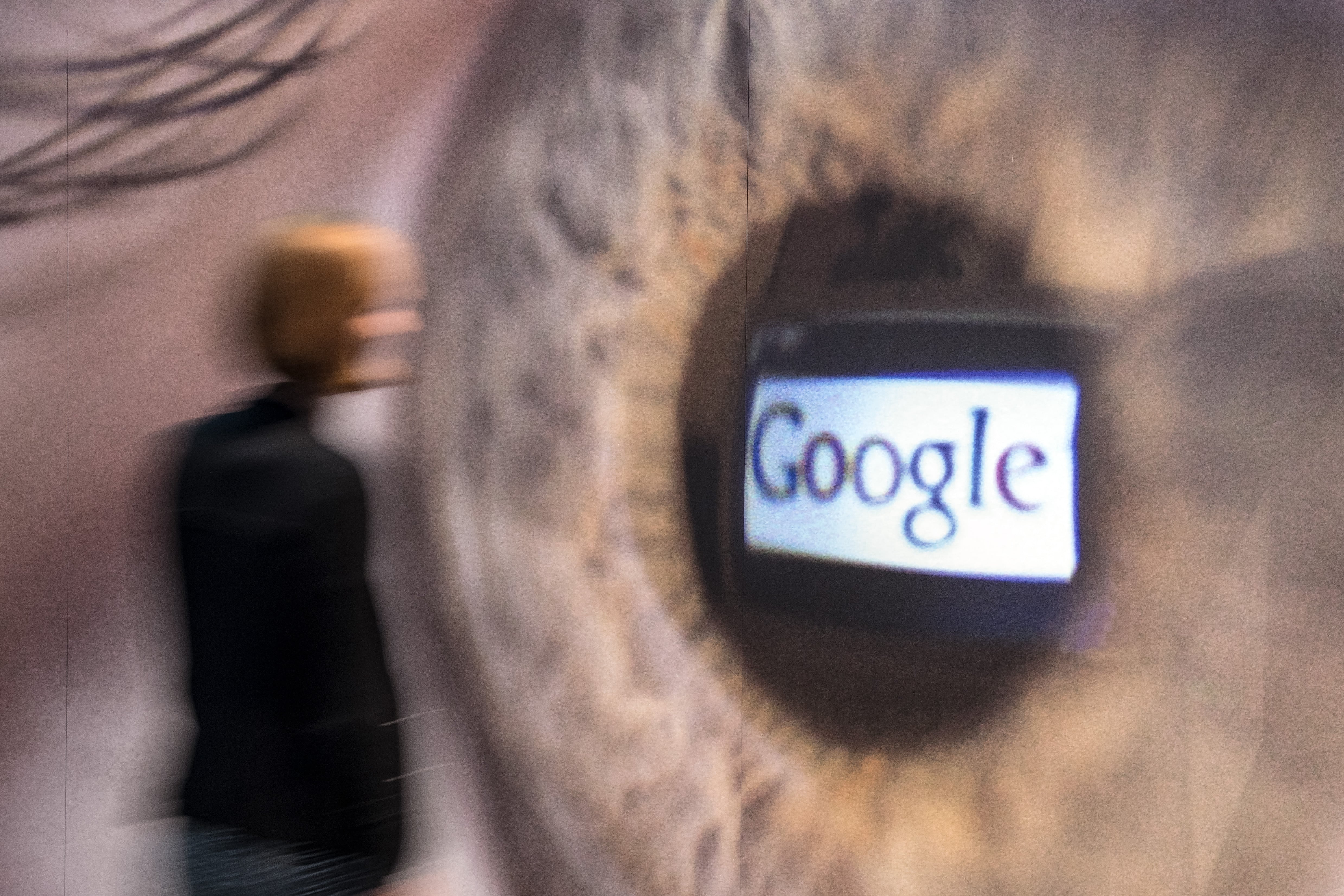
Un empleado de la Casa de la Historia pasa junto a una imagen de un ojo que refleja el logo de Google, en una exposición que aborda el miedo y la vigilancia en Alemania.

 Login
Login