 Login
Login
Chaos As Massive Google Outage Crashes Banking Apps, with NHS and Court Services Also Affected
from DAHBOO77: TRUTH LIVES on at https://sgtreport.tv/

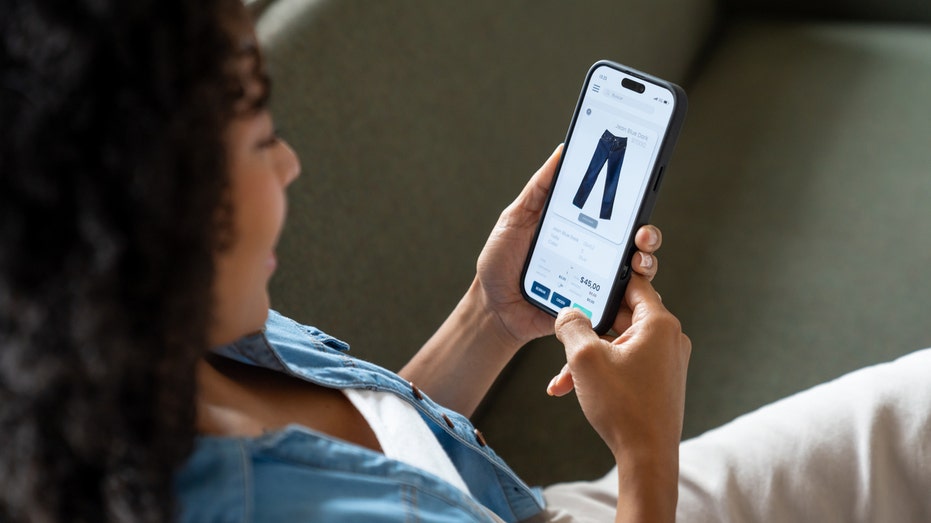
Have you ever found something you wanted to buy, only to wonder whether the price might drop next week? Maybe it's a new pair of headphones, a kitchen appliance or a gift you've had your eye on. You could keep checking the website every day, but who has time for that?
Here's something you may not realize. Your phone can help watch prices for you. Apple's Safari browser has a feature that monitors website changes, while Google's shopping tools offer price tracking on supported products.
That means you can spend less time refreshing product listings and more time deciding whether a deal is actually worth your money. I'll show you how to set up these alerts on an Apple iPhone, Samsung Galaxy and Google Pixel.
8 SERIOUSLY ANNOYING TASKS YOU CAN HAND OFF TO AN AI AGENT
Join our upcoming CyberGuy LIVE class: 5 Ways to Travel Smarter and Save Money
In this free live online class, Kurt "CyberGuy" Knutsson will share five practical ways to protect your trip and your wallet this holiday travel season. You’ll learn how to secure your phone and personal information, find better travel deals, avoid common scams, save money on bookings and use technology to make your travels easier and less stressful. No technical experience is needed.
Join us Saturday, Oct. 31, at 11 AM ET/8 AM PT. Register free now at CyberGuyLive.com.
Apple introduced a feature called Notify Me in Safari with iOS 27. Instead of returning to a website to see whether something has changed, you can tell Safari what to watch. For example, you might ask Safari to notify you when a pair of headphones drops below $150. You could also monitor a sold-out item and get an alert when the website indicates it's available again.
Unlike a traditional price tracker, Safari can look for other changes on a webpage, too. However, the feature doesn't work with every website, and alerts depend on Safari detecting the requested change.
Important: Notify Me requires Apple Intelligence. It works on compatible models, including the iPhone 15 Pro, iPhone 15 Pro Max and iPhone 16 or later. The standard iPhone 15 and iPhone 15 Plus do not support Apple Intelligence.
Safari checks the page at your selected interval and sends a notification when it detects the change you requested. The available checking intervals include hourly, daily, weekly and monthly options. You can also use Notify Me for something other than shopping, such as watching for event tickets or a registration page to open. Just remember that updates are not necessarily instantaneous.
Yes. If you have a standard iPhone 15 or another model that doesn't support Safari Notify Me, you can use Google Chrome instead. Google offers Chrome price tracking on iPhones running iOS 15 or later, including iOS 27. It works on supported product pages and requires a signed-in Google Account, history synchronization and the necessary browsing settings.
To manage tracked products, look for Track Price in Chrome's three-dot menu. You may also find alert controls under Chrome > three-dot menu > Settings > Notifications. The exact options can vary by Chrome version and account.
Don't see Track Price? The option may not be available for that product or your account. You can also try searching for the product in the Google app and looking for a price-tracking option in its shopping results.
ANTI-SCAM SETTINGS ON IPHONE, PIXEL AND GALAXY YOU SHOULD CHECK
Samsung Galaxy and Google Pixel owners can use Google's shopping tools to track products and receive alerts when prices fall. The easiest place to start is the Google app, which works similarly on both phones. Chrome may also show price-drop indicators on shopping pages you've left open.
Google can send you a notification on your phone or an email when the product reaches your selected price. Make sure you're signed into your Google Account and have notifications enabled.
Don't see Track price? Go back to your search results and tap Shopping near the top of the screen. Select the product you want and look for Track price again. Google doesn't offer price tracking for every product, and the option may not appear for every account.
There's another handy option for Samsung Galaxy and Google Pixel owners. Chrome can actively track prices on supported product pages and alert you when they drop. That means you don't have to leave a shopping tab open and keep checking it yourself.
Here's how to get started:
You can find your tracked items under Chrome > three-dot menu > Bookmarks > Tracked products. To manage alerts, go to Chrome > three-dot menu > Settings > Google services > Get price tracking notifications. From there, you can adjust mobile and email notifications. Keep in mind that this feature only works on supported product pages. You'll also need to be signed into Chrome with your Google Account, enable syncing for tabs and browsing history and turn on Make searches and browsing better.
AI SHOPPING CARTS COULD DRIVE UP YOUR GROCERY BILL
Google introduced Universal Cart in the United States earlier this month. The feature is rolling out across Google Search and the Gemini app, giving shoppers another way to keep track of products without constantly checking different websites. Universal Cart lets you save items from multiple retailers in one place. Once you've added a product, Google's shopping tools can monitor its price and alert you when the cost drops or an out-of-stock item becomes available again. The cart can also identify promotional codes and suggest payment options that may help you save money.
For example, if you're shopping for a new TV, you can save models from different stores and let Google watch for price changes. When you're ready to buy, you can complete eligible purchases through Google Pay or finish checkout directly on the retailer's website. Universal Cart is rolling out in the U.S., so it may not appear in every account immediately. It's another option worth checking if you already use Google Search or Gemini to shop.
If you don't see Notify Me or Track price, the feature may be unavailable for your phone, account or shopping website. Start by checking that your apps and browser are updated. On iPhone, Safari Notify Me requires a compatible device with Apple Intelligence enabled. For Google's shopping tools, make sure you're signed into your Google Account. Chrome may also require additional browsing or synchronization settings for certain shopping features.
Some product pages simply don't support tracking. In that case, try another retailer's listing for the same item. Google's price-tracking features are available in supported countries, including the United States, although availability varies by product and account.
A lower price can be tempting, especially when a notification pops up while you're doing something else. However, I wouldn't rush to check out without checking a few details.
A price alert tells you something has changed. It doesn't necessarily mean you've found the lowest available price.
Price tracking comes with a privacy trade-off worth understanding. Google's shopping tools use your Google Account to manage tracked products and alerts. Certain Chrome shopping features may also require additional browsing information or settings, including Make searches and browsing better. You should review those options before enabling them.
That setting allows Chrome to share browsing-related information with Google to improve its services. You can review these options under Chrome > 3 dots in the upper right >Settings > Google services. Apple's Safari Notify Me uses Apple Intelligence to monitor webpages for requested changes. Before enabling either feature, consider whether the convenience is worth the information and permissions involved.
Be careful about clicking price-drop alerts or shopping links from unfamiliar senders. Scammers can create fake sale notifications that lead to fraudulent websites. Strong antivirus software can provide an additional layer of protection by helping detect malicious links, phishing attempts and other online threats. Get my picks for the best 2026 antivirus protection winners for your Windows, Mac, Android and iOS devices at CyberGuy.com.
I've lost count of how many times I've looked at something online, decided to wait and then completely forgotten to check whether the price dropped. That's why I like having my phone do some of the watching for me. With Safari's Notify Me feature in iOS 27, compatible iPhones can monitor more than just prices.
Meanwhile, Google's shopping tools can help Samsung Galaxy and Pixel owners follow prices on supported products, while Chrome offers additional shopping features on compatible devices. My advice is to start with something you actually need, especially a larger purchase where a price drop could save you a meaningful amount. Set up an alert and see what happens. You might save some money without spending your evenings hunting through shopping websites.
Have you ever bought something only to see the price drop a few days later? Would you trust your phone to watch prices for you, or do you prefer hunting for deals yourself? Let us know by writing to us at CyberGuy.com.
Sign up for my FREE CyberGuy Newsletter
CLICK HERE TO DOWNLOAD THE FOX NEWS APP
Copyright 2026 CyberGuy.com. All rights reserved.
Bloomberg/Getty Images
A new food delivery service is taking aim at menu mark-ups — and some entrenched rivals
Restaurant ordering software company Olo is launching its own customer-focused app, it said on Tuesday. The app puts it in competition with more established delivery companies, such as DoorDash and Uber Eats.
On Olo's app, customers will see the same prices that restaurants charge in-person patrons, the company said. By contrast, third-party delivery services often charge customers higher menu prices than diners would get at a restaurant.
Offering in-store prices can save customers between 15% and 30%, Olo said.
"It's a better experience for consumers and a more sustainable model for restaurants, with no menu price inflation and no barriers standing between great brands and the people and communities they serve," Olo CEO and founder Noah Glass said.
Food delivery is one area where consumers continue to spend money, even as they cut back their budgets elsewhere. How much customers pay for delivery — and whether apps charge individuals different prices or the same order — can affect how often they order.
Olo is stepping into a competitive space. DoorDash and Uber Eats continue to grow, including by rearching into club deliveries and catering. And Walmart, which spent years building its own grocery-focused delivery service, started delivering restaurant orders earlier this year.
Olo got its start in 2005 with a service that let users text their orders to restaurants in the pre-smartphone era. Now, the company fields about 3.5 million orders daily through around 800 restaurant brands.
The company doesn't have its own team of delivery drivers. Instead, the company uses its own dispatch service to compare delivery options at other third-party services, such as Grubhub, and pick one based on factors like cost and speed.
Olo's delivery app will allow customers to order from about 250 restaurants, including Five Guys and Dave's Hot Chicken.
Do you have a story idea about Uber Eats, DoorDash, or another delivery service? Contact this reporter at abitter@businessinsider.com or via encrypted messaging app Signal at 808-854-4501. Use a personal email address, a nonwork WiFi network, and a nonwork device; here's our guide to sharing information securely.
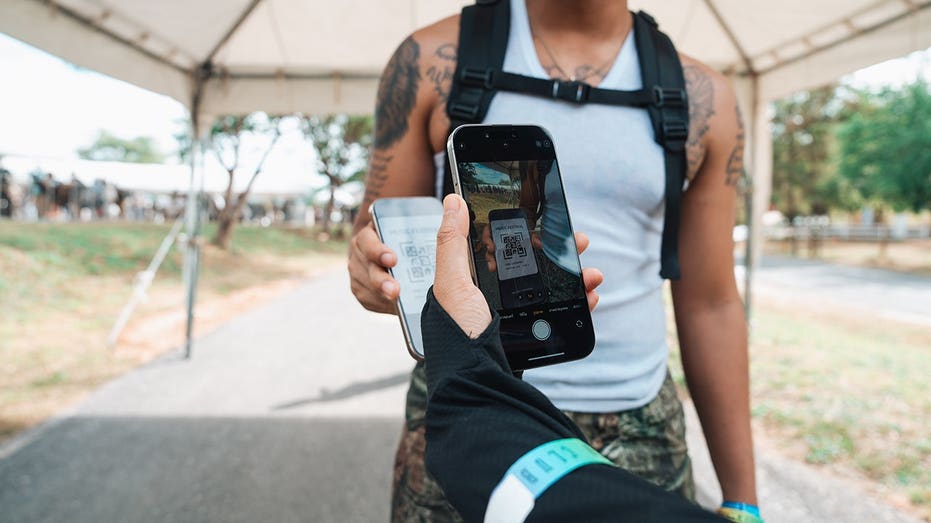
Take a look inside your wallet. There is a good chance at least one piece of plastic in there does little more than display a barcode. Maybe it is your library card. Perhaps it is a gym membership, grocery rewards card or another card you pull out every once in a while. Until now, getting some of those cards onto an iPhone could depend on whether the organization offered its own digital pass. Apple is changing that with iOS 27.
The latest iPhone software lets you create your own pass in Apple Wallet from a physical card, photo or screenshot. Samsung Galaxy and Google Pixel owners have similar options, which means you may be able to leave a few more plastic cards at home. Here is how to turn a membership card into a digital pass on all three phones.
Join our upcoming CyberGuy LIVE class: 5 Ways to Travel Smarter and Save Money
In this free live online class, Kurt "CyberGuy" Knutsson will share five practical ways to protect your trip and your wallet this holiday travel season. You’ll learn how to secure your phone and personal information, find better travel deals, avoid common scams, save money on bookings and use technology to make your travels easier and less stressful. No technical experience is needed.
Join us Saturday, October 31, at 11 AM ET / 8 AM PT. Register free now at CyberGuyLive.com.
HOW TO SEARCH ANYTHING ON IPHONE, GALAXY AND PIXEL
Apple added the ability to create your own passes in Wallet with iOS 27. This comes in handy when a membership or loyalty card has a barcode or QR code, but the organization never gave you an "Add to Apple Wallet" button. Apple specifically points to library cards and gym memberships as examples.
If you have an Apple Intelligence-compatible iPhone, you can create a pass from a photo or screenshot containing the barcode or QR code. Apple Intelligence recognizes the code and can give you the option to add it to Wallet.
Apple Intelligence on iOS 27 requires a supported device, including the iPhone 15 Pro, iPhone 15 Pro Max or iPhone 16 family and later compatible models. Availability can also depend on your language and region. However, Apple also gives you a manual way to create a pass directly inside Wallet.
First, make sure the barcode or QR code is clearly visible. A blurry photo could make the code difficult for your iPhone to recognize or for a scanner to read later. On a compatible iPhone, Apple Intelligence can recognize the barcode or QR code in a photo or screenshot and offer to create a Wallet pass.
On a compatible iPhone running iOS 27 or later:
Pro tip: After you create the pass, you can tap View Original Photo to see the image you used.
You can also build a pass yourself in iOS 27. This gives you another option when you want to add the information manually.
Once you've created a pass, you can customize its appearance or change the information it contains. You can also add or remove fields if you want different details displayed.
HERE'S SOME TIPS ON HOW TO ORGANIZE PHOTOS WITH KEYWORDS ON YOUR PHONE
Samsung Galaxy owners already have a similar option through Samsung Wallet. Samsung says almost any membership card with a barcode can be stored in the app.
On a Galaxy phone running the latest available Samsung software:
Samsung also supports participating memberships that are already built into Wallet. Once you need the card, open Samsung Wallet and select the membership. The barcode can then appear on your screen for a cashier or compatible reader to scan. Menu names can vary slightly depending on your Galaxy model and Samsung Wallet version.
Google Wallet can save passes from images when they contain a barcode or QR code. Google specifically lists library cards, gym passes and parking passes as examples.
On a Google Pixel running the latest software:
When you need the card, open Google Wallet and select the pass. You can then scan its barcode or QR code at the reader.
Tip: Google also lets you return to the original image you used to create the pass. Open the pass and tap the More button in the upper-right corner to find the original image.
You may also see Everything else under Add to Wallet. Google uses this option for creating other types of passes from a photo. Select Everything else, accept the consent terms if prompted, then take a photo or choose one from your phone. Google will preview the information it detects so you can review and manually edit it before tapping Add.
Start with cards whose main purpose is giving a business or organization a barcode or QR code to scan. A library card is an obvious candidate. Gym memberships and store loyalty cards may work well, too. Parking passes and other simple barcode-based credentials can also be good candidates, depending on how the organization verifies them.
The easiest test is to look at the physical card. If the person behind the counter normally scans a static barcode or QR code printed on it, there is a reasonable chance a digital version can work. Keep the physical card until you have successfully tested the digital version. Some scanners may have trouble reading a phone display, and some organizations may require the original card.
There is an important limit here. Creating a digital pass from a photograph does not turn every card in your wallet into an official digital credential. Do not assume you can photograph a driver's license, credit card, secure workplace badge or another sensitive credential and use the resulting image as an official replacement.
Some digital credentials require verification from the organization that issued them. Payment cards also have separate security and enrollment requirements. Event tickets deserve extra caution. Many ticketing services now use barcodes that refresh or change to prevent fraud. A screenshot of one of those codes may fail at the gate. Whenever an issuer provides an official Add to Apple Wallet, Add to Google Wallet or Samsung Wallet option, use that instead.
YOUR PHONE SAYS IT'S UPDATED. CHECK OTHER SETTINGS, TOO
I like this iOS 27 addition because it fixes a surprisingly annoying limitation. I have had plenty of cards with perfectly usable barcodes that could not go into Apple Wallet simply because the organization behind them never created a digital pass.
Now Apple is giving iPhone owners more control over that process. Samsung and Google already offer useful ways to accomplish something similar, so this is one of those rare phone features that can help you regardless of which of the big three you carry.
I would start with the low-risk stuff. Put your library card or gym membership on your phone and see how it goes. If it saves you from carrying another card around every day, great. Just remember that a photo-based pass and an official digital credential are very different things. Your phone can replace more of your wallet than it used to, but I would not empty the whole thing yet.
If your phone could replace every card in your wallet tomorrow, which physical card would you be most nervous about giving up for good? Let us know by writing to us at CyberGuy.com.
Sign up for my FREE CyberGuy Newsletter
CLICK HERE TO DOWNLOAD THE FOX NEWS APP
Copyright 2026 CyberGuy.com. All rights reserved.

The period from 2015 to 2019 is considered a time of absolute dominance for swipe culture in dating. New apps featuring the ‘swipe and meet’ mechanic appeared on the market, their audiences grew every day, and the number of swipes on popular versions reached up to 1 billion per day. The second wave of popularity for these apps came during the pandemic (2020–2021). Due to lockdowns and restrictions, the influx of users reached record levels. Today, this figure exceeds 360 million users. But 2026 is bringing significant changes to these impressive statistics.
Today, simply seeing a user’s photo is no longer enough to feel genuine attraction towards them and start communicating. The era of digitalisation has brought with it a lack of real-life communication. Users want to see, hear and feel each other. That’s why dating apps are introducing new formats into their functionality:
The reason is clear: text allows you to think through every phrase, while a photo only shows a carefully chosen image. Voice adds intonation, pauses and spontaneous reactions. According to Hinge, 65% of surveyed users believe that voice helps them determine their interest in someone better than profile information. And connections made through voice messages are 48% more likely to lead to an in-person meeting. This explains why swipe mechanics are gradually giving way to real-time communication formats.
Swiping is a search format that’s convenient when you need to look through dozens of unfamiliar profiles in a limited amount of time. It makes searching faster. But it doesn’t guarantee that a connection will be successful or progress beyond a simple greeting.
A photo and profile attract attention. Text maintains interest over several days. But these are only visual forms of communication that still don’t provide an understanding of how comfortable people feel talking to each other or whether there’s genuine attraction and mutual interest. Voice platforms offer a different approach: first get to know someone through conversation, and only then decide whether it’s worth meeting in person.
However, profiles aren’t disappearing completely. They’re evolving. AI matchmakers can be considered one form of this evolution. These are voice assistants that you can tell about your interests, personality, expectations and preferences through a real-time conversation. During such a conversation, you can clarify details that are often left unmentioned in standard profiles. For example, someone may value not only shared hobbies but also a similar daily routine, a sense of humour or attitudes towards free time. This is how Riya, the voice AI matchmaker in the Schmooze app, works. According to the company’s co-founder, Vidya Madhavan, user retention with the AI assistant is twice the average rate.
Another example is Known. The service uses voice AI to match potential partners, while users reveal their photos when both are ready to take that step. According to data cited in an industry publication, users accept 50% of suggested dates.
Voice helps make getting to know someone more meaningful even before meeting in person. Users don’t simply evaluate a profile; they express their thoughts, answer questions and hear their chat partner’s reactions. Swiping doesn’t disappear, but it stops being the only way to start communicating.
The next level of information sharing after voice messages is video, which allows you not only to see someone but also to observe their non-verbal reactions. During a conversation, you can notice whether your chat partner is listening attentively, responding to jokes, able to keep the conversation going and how they behave when an awkward silence occurs. These details don’t provide a complete picture of someone’s personality, but they help create a more realistic first impression. That’s why, when meeting people through video chats, it’s so important to pay attention to several things:
A major disadvantage of messaging is that your chat partner can edit their response at any moment or simply spend a little more time choosing the right words. In an online video chat, communication happens almost simultaneously.
The video format also helps you move more quickly from an abstract impression of someone to real communication. Instead of spending several days messaging, you can have a short conversation and understand whether you want to continue getting to know them. At the same time, the process of finding a stranger works in a way that’s similar to the familiar swipe mechanic. For example, on the well-known Omegle service, switching between users took just a few seconds. Chat partners saw each other, exchanged a few words, worked out whether it was worth continuing the conversation, and either carried on talking or switched to other users. This saves a significant amount of time and makes dating more productive. Despite the closure of the popular chat roulette platform, its mechanics continue to be successfully used by modern services such as Omegle.chat. This great Omegle app me alternative offers the opportunity for real-time communication without commitments or pre-planned scenarios.
The growing interest in voice and video formats reflects a gradual shift in the dating industry. Users still want to find suitable partners, but they’re increasingly unwilling to spend time endlessly browsing profiles. The opportunity to understand more quickly whether there’s mutual interest between people is coming to the forefront. Instead of dozens of text conversations that end after just a few messages, people are looking for formats that allow them to move towards meaningful conversations sooner.
Most projects are already showing growth in audiences interested in video communication. According to JPLoft, platforms that have introduced this mechanic into their functionality are already recording 35% higher user engagement compared with services that rely solely on text messaging. The key reason is that it helps bring people closer together. Video dating in chat roulettes doesn’t guarantee that someone will find their ideal partner within a few hours. But it allows them to get a quicker sense of whether a particular online encounter is worth pursuing and has the potential to develop further. Other reasons for the dating industry’s shift towards random video chats include:
At the same time, we shouldn’t expect voice to completely replace text or video chats to replace traditional apps. Different formats serve different purposes. A profile helps communicate interests and basic expectations, messaging gives you time to formulate your thoughts, voice conveys intonation, and video communication allows you to observe more details of someone’s behaviour. These methods can complement each other rather than compete for the only place in the process of getting to know someone.
DISCLAIMER – “Views Expressed Disclaimer – The information provided in this content is intended for general informational purposes only and should not be considered financial, investment, legal, tax, or health advice, nor relied upon as a substitute for professional guidance tailored to your personal circumstances. The opinions expressed are solely those of the author and do not necessarily represent the views of any other individual, organization, agency, employer, or company, including NEO CYMED PUBLISHING LIMITED (operating under the name Cyprus-Mail).


Todos hemos escuchado alguna vez eso de que Google lo sabe todo de nosotros. Pero realmente no fui consciente de cuánto de verdad tiene esa afirmación hasta que decidí hacer una prueba: entrar en mi cuenta y revisar, uno por uno, los lugares que he visitado, las búsquedas que he hecho, los vídeos que he visto, los dispositivos desde los que he iniciado sesión y la información asociada a mis fotos.
© picture alliance/Getty Images
Exclusive: Using test accounts acting as 13-year-olds, Tech Transparency Project downloaded 135 apps with features to generate nonconsensual nude imagery
In December 2025, Morgan Dorfman received distressing news: a student at her daughter’s Pennsylvania high school was making AI-generated pornographic material using the daughter’s image.
He was using an artificial intelligence image-editing app called Movely to create sexual videos from pictures of her daughter and five other girls.
Continue reading...
© Photograph: Spencer Platt/Getty Images
© Photograph: Spencer Platt/Getty Images
© Photograph: Spencer Platt/Getty Images

Matthew Guerrero
This as-told-to essay is based on a conversation with Matthew Guerrero, a 41-year-old Uber driver in Southern California. It has been edited for length and clarity.
I worked as a firefighter for about four years before I got injured on the job.
I've been seeking a workers' comp settlement that should be settled soon. In the meantime, my lawyer said that I could start working again. I needed a job really quickly, especially with three kids, so I started driving with Uber.
I've been driving with Uber for about five weeks. So far, it hasn't been very successful. For example, one week, I made $600 working 30 hours. To make that, I spent about $300 in gas driving my SUV.
Then, I have to put between 20% and 30% of what's left aside for taxes. That comes out to about $210 for 30 hours of work. That doesn't even include wear and tear on my car. I don't understand how anybody can do this long-term. It's not sustainable.
The pay is better if you drive in Los Angeles or San Diego. But I'm in Riverside County, and the pay seems to be lower here.
To get better-paying rides, you have to be strategic. Sometimes, I try to get a ride with a passenger who's headed to an airport in one of the big cities. Then, I stay there all day and take rides. That's not always feasible, though.
When I started with Uber, I realized that there were a lot of rides that involved taking people to morning doctor's appointments. Most of those people didn't tip well, though, and tips are key to making money.
Instead, I like to work Friday and Saturday nights around bars in Temecula. I usually log on around 4 pm and head home around 3 am. The pay is good, and the tips are a lot better than other rides in my area. Sometimes you have to deal with drunk people throwing up, but it's worth it.
I've given some rides to veteran Uber drivers — people who were working on the app back in 2015 and 2016. They said that they used to make better money than I do, and that they quit after they saw pay fall.
That was eye-opening for me. I don't understand how a company like Uber can pay as little as they do.
An Uber spokesperson said drivers in Riverside County, California make "at least $20.28 per engaged hour, plus $0.37 per engaged mile for vehicle expenses, with tips on top of that."
"While this guarantee doesn't cover time spent waiting for trips, it's important context when discussing driver compensation," the spokesperson said. Driver earnings can vary based on when drivers decide to work, where they drive, and rider demand.
"One driver's experience isn't representative of the broader platform," the spokesperson said.
Do you have a story idea about Uber? Contact this reporter at abitter@businessinsider.com or via encrypted messaging app Signal at 808-854-4501. Use a personal email address, a nonwork WiFi network, and a nonwork device; here's our guide to sharing information securely.
© CAROLINE BREHMAN/EPA


© FIFA via Getty Images
The prohibition on so-called AI “nudifier” systems becomes applicable on 2 December 2026 following changes to the EU Artificial Intelligence Act approved earlier this year.
The legislation prohibits AI systems designed to create child sexual abuse material or realistic images, video or audio depicting an identifiable person’s intimate parts or sexually explicit activity without that person’s consent.
Providers cannot place systems intended for such use on the EU market. Systems capable of producing the material must have adequate safeguards intended to prevent it, while deployers are prohibited from deliberately using AI systems for that purpose.
The final agreement on the AI Act amendments gave companies until 2 December to bring their systems into compliance.
The latest intervention is intended to ensure that regulators are ready to enforce the prohibition rather than simply having the legislation on the statute book.
The letter supported by 119 MEPs was initiated by Green MEP Lena Schilling and Greens/EFA co-president Terry Reintke.
Its signatories include members from several political groups.
They want the Commission and member states to ensure that national authorities are designated to enforce the ban and that people targeted by non-consensual AI-generated sexual imagery know which authority to contact.
The letter also calls for stronger enforcement of the Digital Services Act against online platforms and search engines carrying or facilitating access to such material.
The initiative follows research cited by the organisers which identified 147 European politicians appearing on websites containing sexualised AI deepfakes.
Of those identified, 138 were women.
Schilling was among those affected and has used her own case to argue that the December prohibition needs an operational enforcement system from its first day.
The prohibition emerged during the EU’s broader revision of its AI legislation.
In March, the European Parliament adopted its negotiating position by 569 votes to 45, with 23 abstentions.
Parliament and Council subsequently reached agreement on the revised text, and the measure completed its formal legislative process in June.
EU Today reported at the time that the Council’s final approval combined delays to some high-risk AI requirements with new restrictions on non-consensual sexual imagery.
The issue is distinct from the wider transparency requirements applying to AI-generated content.
Under Article 50 of the AI Act, transparency obligations have applied since 2 August.
Providers of generative systems must in relevant cases make AI-generated or manipulated material machine-readable and detectable, while deployers face disclosure obligations covering deepfakes and some AI-generated material dealing with matters of public interest.
EU Today examined those changes when chatbot and deepfake disclosure rules entered into application in August.
There is, however, a transitional period for some AI systems that were already on the market before 2 August. Their machine-readable marking obligations take effect on 2 December.
That means the same date will bring both the new nudifier prohibition and the end of the transitional period for certain AI-content marking requirements.
Enforcement is divided between national regulators and EU institutions.
National market-surveillance authorities carry much of the responsibility for enforcing the AI Act. The Commission’s AI Office has direct enforcement responsibilities in more limited areas, including certain systems built on general-purpose AI models and systems integrated into very large online platforms or search engines.
The Commission’s guidance on Article 50 is intended to provide regulators and companies with a common interpretation of those transparency requirements.
The nudifier prohibition raises an additional problem because distribution of non-consensual intimate images also intersects with the Digital Services Act, national criminal and civil laws and EU legislation addressing violence against women.
The 119 MEPs are therefore seeking action beyond the AI Act itself.
Their letter asks for stricter use of the Digital Services Act against platforms and search engines, faster implementation of the EU directive combating violence against women and clearly identifiable national authorities able to respond to complaints.
The legal gap surrounding nudifier systems had previously been acknowledged by the Commission.
Its review of prohibited AI practices concluded that the original AI Act’s provisions on manipulation and exploitation of vulnerabilities did not adequately cover systems producing child sexual abuse material and non-consensual sexually explicit images.
That finding contributed to the explicit prohibition subsequently added during the Digital Omnibus negotiations.
The legislation is now settled. The immediate issue before the 2 December deadline is whether regulators across the 27 member states have the mechanisms in place to identify prohibited systems, investigate providers and respond when people report AI-generated intimate material produced without their consent.

Gabe Bullard | Longreads | September 15, 2026 | 3,401 words (12 minutes)
This is an excerpt from Against Convenience: Embracing Friction in an Age of Endless Ease by Gabe Bullard. Published on September 15, 2026, by Hanover Square Press, an imprint of HarperCollins. Copyright © 2026 by Gabe Bullard. All rights reserved.
Watching The Jetsons as a kid in the ’80s, I was obsessed with the food machine, and how it dispensed a full meal at the touch of a button. The show was set in 2062, exactly a hundred years on from its original broadcast. We’ve made it to 2026, but life today resembles nothing like that slick space-age future. We have gadgets, but they’ve arrived as phones, apps, and smart home devices—and I’m not sure they’ve made my life better.
“Accepting modern conveniences too often means accepting lower standards,” writes Gabe Bullard in Against Convenience: Embracing Friction in an Age of Endless Ease. Lower standards for material goods, for labor conditions, for socializing, for art and entertainment. “Experiences become transactions.” Bullard isn’t anti-technology. His argument, he writes, “is an argument against how we use and are pushed to use technology.” In his new book, he examines the conveniences that have crept into his life—and likely yours—and offers ideas for living with them more sustainably and equitably.
In this excerpt from chapter seven, Bullard sets this scene: a physical world, the one we’ve moved through for centuries, slowly reshaped by the virtual one we increasingly live in. Cars drive from one dot on a map to another, ferrying takeout to people at home on sofas. Food deliverers make some extra money. Businesses take orders both online and off. It appears easier, efficient. But Bullard examines the costs—to the customer, to the driver, and to the restaurant owner, who still has to make sure the fries are crispy once they reach your door.
The artist Jake Longstreth paints landscapes of America, often the West and Southwest, with their distinctive vegetation, deserts, and mountains. In the foreground of many of his paintings are features that evoke a time more than a single place—CubeSmart self-storage, Taco Bell, a sun-bleached facade with shadows where the words Toys ‘R’ Us once hung.
In one series, each painting is a different view from the parking lot of a Walmart in Scottsdale, Arizona. Ferns, trees, and desert grasses obscure the sharp edges of the boxy store. Semitrailers and loading docks peek from behind the brush. In a painting from a different series, a Home Depot abuts a Civil War battlefield.
The work has a loneliness that’s reminiscent of Edward Hopper’s paintings. But unlike Hopper, Longstreth rarely paints people (one exception is a group of soldiers in uniform at the grand opening of a Chili’s). The only signs of humanity are occasional cars and the chains that “make up, basically, an American commons,” as Longstreth described them in an interview promoting an exhibition of his work in 2024. “Most people don’t really have a super-deliberate relationship with these places,” he added.
There’s a certain democracy to the scenes: Anyone, anywhere can eat the same value meal as anyone else. There’s also an intrusion: The chains’ architecture imposes a sameness on once-unique landscapes. The stores and restaurants are dropped into spaces that weren’t made for them. Flat, square plots are pressed into hills, ample parking provided.
The encroachment of a drive-thru on a lush California valley is a good representation of many modern conveniences. The services that claim to make something faster, easier, or cheaper are built on top of physical landscapes, legal frameworks, or social orders that were not made to accommodate them. The systems absorb the change, but they do it awkwardly and end up forever altered. Starbucks becomes a place to pick up app orders; appliances become accessories to connect to your phone; QR codes sit on restaurant tables; analysis replaces news; art becomes Content; machines replace people.
Uncomfortable intrusions and uneven responses are everywhere.
Examples abound: Grocery delivery apps bring an old idea to a new reality. Grocers offered delivery over a century ago, but the stores were set up and staffed for this. Modern grocery stores are built for customers to come in and do their own shopping. Delivery apps now let customers pay someone to do the same physical task the user would do if they went to the store themselves. What seems like a simple process can quickly become inconvenient. Grocery stores evolved to let customers pick out their own fruit, check dates on packages, and otherwise get things for themselves based on what looked good (or what the store suggested they buy). Virtual shoppers do this picking for customers, sometimes in a hurry so they can fulfill more orders. Mistakes can happen even under the best circumstances. Better deals go ignored. There’s confusion when an item is out of stock and the customer hasn’t chosen an alternative. It can lead to a customer essentially steering a shopper through the store on their behalf.
Rentable electric scooters have become a fixture of urban sidewalks in the past decade. The scooters speed up trips that are too far to walk, too short for a car ride, and not covered by public transit. But these are more of a tacked-on convenience than a real solution. City streets aren’t often built to accommodate smaller vehicles, leaving scooter riders to either use car lanes (putting the rider at risk) or sidewalks (putting pedestrians at risk). Poorly parked scooters clutter neighborhoods. And the environmental benefits are questionable, if at times nonexistent: Broken scooters need to be replaced and vans typically pick up scooters for charging. These problems could be solved through a more active response from cities—more adequate public transit, sustainability requirements for the rental companies, limits on where scooters can be ridden and parked. Cities could build better infrastructure, too, to favor bikes, scooters, and pedestrians over cars.
The postal system and most homes were built to accommodate the delivery of mail and packages. But the scale of e-commerce deliveries has forced inconvenient adjustments to physical and social spaces. In the years I lived in a large apartment building, package drop-off was a constant frustration. Every afternoon, the lobby filled with Amazon and Chewy boxes. They sometimes sat there for days (rush delivery wasn’t essential after all). What was built as a place for neighbors to mingle became a warehouse for boxes of dog food where people occasionally waited for rideshares.
For private homes, the doorbell camera offers convenient, instant notification that a package has arrived and security footage if the package is stolen. It’s an inelegant, antisocial solution. The old-style doorbell was already a notification a package had arrived. The new gadget moved the chime and the peephole to the pocket (and gave users another reason to stay glued to their phones). Package theft is a crime of convenience created by constant online shopping and delivery, and it’s not clear the cameras are stopping it. In my old neighborhood, people often posted grainy images of package thieves to local message boards. Sometimes the person said they were giving the information to the police, as if the police would bother tracking down whoever took a box that had most likely already been replaced. Perhaps the footage will go into a database to be scanned by facial recognition software instead. Doorbell cameras might be meant to catch crimes, but more often, they create Content like the videos of accidents I scroll past online. Everyone is eager to share their personal view of the panopticon.
Is the convenience worth the cost of constant surveillance and suspicion of every person who steps on your stoop (not to mention a subscription to the software that runs the camera)? Even if the cameras prevent a package theft, it’s unlikely the increased surveillance is a deterrent for violent crimes, or that it has an effect on overall neighborhood safety. That would take a collective solution. The camera lets the homeowner feel optimized to take on (or hide from) the world’s troubles alone.
The services that claim to make something faster, easier, or cheaper are built on top of physical landscapes, legal frameworks, or social orders that were not made to accommodate them.
Ridesharing’s “disruption” is perhaps the most prominent example of convenience overloading existing systems, and those systems bending to accommodate it. In this case, the systems were municipal regulations, employment standards, and users’ expectations for how to get around a city. In his book Blood in the Machine, tech journalist Brian Merchant notes that the arguments against regulation echo one the mill owners made in the fight against the Luddites in the early 1800s. Existing laws regulated mills and set standards for worker training and for the quality of cloth. As businessmen automated manufacturing, they argued that “the regulations on the books are out of date, should not apply to new technologies, and are stifling innovation; they’re really not that important, and no one plans on violating them anyway,” Merchant writes.
The argument that our existing laws are inadequate in the face of progress is so pervasive in the tech industry, breaking rules is basically a strategy. OpenAI’s CEO has said it’s impossible to create their products without access to copyrighted material, and as I write this, the debate continues over how AI firms should license—or should have licensed—the material they use to train their software.
We are still adjusting to new technology—legally, morally, socially. The adjustment will go deeper than making room for a new way of shopping, computing, or getting around. How we react in these (still) early stages—how we comport ourselves and what we demand of the apps and our governments—will have ramifications for generations to come.
It’s not looking good.
The spread of generative AI is the most worrying sign at the moment, but I hear about new, supposedly convenient, yet ultimately unnecessary, technologies every day. Not long ago, it was facial recognition for buying concessions at sporting events. It’s mind-blowing computing power put to mundane use, and it raises big questions about privacy and security. I wonder if the food tastes any better.
To get a sense of the stakes of all-encompassing adaptation to new technology, go outside: massive parking garages in downtown real estate (somehow still necessary even with rideshares); four-lane streets in residential neighborhoods; houses with no stoop and a garage door as the most prominent feature on the facade; interstates along riverfronts; drive-thru-only restaurants; restaurants with double-wide drive-thrus. Cities and landscapes have been remade to accommodate privately owned personal cars. Shared cars or scooters might offer some relief, but the infrastructure has already been changed—these solutions are technology to solve the problems of technology, built not just on top of a system that wasn’t made for them, but on top of a system that wasn’t made for people at all.
This is the world I see in Longstreth’s paintings. The buildings are in places that are hostile to anyone traveling without their own car—shopping centers between batches of suburbs and man-made deserts of pavement. The paintings remind me of the long drives I’ve taken across the US—every exit has the same few fast-food restaurants and gas stations. The public commons is a place people stop at on their way somewhere else. Everyone eats the same value meal because there’s nothing else to eat.
The encroachments of high-tech convenience create a second reality—one that’s virtual and smooth. To someone using a grocery app, the store looks like a list of products on a screen, not the physical supermarket where a worker will go to pick out an order. To a person in a rideshare or driving by GPS, the world between two destinations looks like a line on a map. It’s a little like the augmented reality game Pokémon Go, which dropped monsters and training gyms onto the grids of city streets. Physical reality is a support structure for a world that exists on an individual’s screen. The virtual world imposes its demands on the physical world, often with results that aren’t better for the user or the real world.
Delivery food, for a long time and in many places, meant pizza or Chinese. This wasn’t by accident. Restaurateurs (and in the case of pizza, chains) refined the business model for delivery and developed containers that kept dishes in the best condition possible for the trip to a customer’s house. Modern food delivery promises to make any food into something you can eat at home. But not every dish, and not every restaurant, is built for this.
Traditionally, restaurant dining was a two-party affair. A customer went to a restaurant to dine in or carry out, or they ordered food over the phone that was delivered by an employee of that restaurant. Modern delivery adds two more parties: a food deliverer who is typically classified as an independent contractor and the app that mediates the relationship between everyone involved. The customer orders in the app. The app dispatches the driver. The customer tips the driver through the app. To the user, all of this is virtual—even the handoff of the food can happen through a smart doorbell.
Delivery apps offer something to each party they work with. To customers, the offer is any meal delivered to their door. To restaurants, the offer is new customers, more orders, e-commerce tools, and delivery without the staff (though some apps offer to let restaurants use their own couriers). To deliverers, the offer is the flexibility of the gig economy—be your own boss, work when you want. (I’m going to use the words “driver” and “deliverer” interchangeably, though in many cities, delivery is done on bike.) Each of these parties makes trade-offs if they accept the offer. Drivers take on the usual hazards of gig work. Claude Bahati lives in the UK and signed up to drive for Deliveroo because he liked the autonomy. But the money has been inconsistent. He sometimes works eighteen hours a day, five to seven days a week. Early on, he cleared about a thousand British pounds per week. He earned occasional bonuses by logging on when orders were heavier, too. Now he’s not seeing as many boosts and the orders have dropped. “You’d be lucky if you hit £700 a week,” he says. In response to questions, Deliveroo said this may be related to a change in which deliverers are paid based on distance traveled. (Bahati and many of his fellow drivers have organized with the GMB labor union in the UK to push for changes to pay and to how the apps treat drivers—and these have led to agreements on minimum pay for time and transportation.)
Paying drivers more would mean either reducing profits, upping the fee on the restaurants, or raising prices for customers. “It is always the drivers who get pinched,” Bahati says. The actual cost of a service is unclear to customers in the virtual world. “As a customer, you’re thinking, ‘which one’s the cheapest?’ ” Bahati says. “I don’t think you think about a driver and how much they’re being paid. I think you’re thinking, ‘How quickly can the driver get here?’”
Restaurants can choose whether to be on the apps, but this wasn’t always the case. When DoorDash, GrubHub, Postmates (since purchased by Uber Eats), and Seamless (it’s odd they’re all compounds of short words) launched, restaurants sometimes found themselves listed on the apps without agreeing to participate. Some restaurants sued. California banned the practice. Most apps changed their policies in response.
Modern food delivery promises to make any food into something you can eat at home. But not every dish, and not every restaurant, is built for this.
Given the thin margins of running a restaurant, opting out isn’t an easy decision, especially as customers come to expect delivery. Liz and Jesse Huot own two hamburger restaurants and a bakery in Louisville, Kentucky. They were hesitant to offer delivery at first. “You don’t have control over your food once it leaves,” Jesse says. “Kind of like handing your kid off to a babysitter you’ve never met,” Liz adds. Besides the loss of control, trade-offs for restaurants include fees from the apps and a potential decline in dine-in customers.
The Huots signed up to have their food delivered by DoorDash in 2023. They realized customers seemed okay with a dip in quality in exchange for the ease of delivery. “It’s normal for you to know that your fries suck when you get them delivered,” Liz says. Customers also didn’t mind paying a 30% extra charge for the food—a price the Huots settled on to cover the 15% app commission, the additional packaging, and to offset the drop in tips for servers.
Delivery orders are strong, and the Huots say they feel pressure to make the menu more accommodating. “Our two sides are fries that get soggy and Brussels sprouts that, ten minutes after they’re made, they get a little funky,” Jesse says. “So I’ve considered changing the sides. But people in-house love them, and if I change that, I think it would hurt us.” The solution to soggy fries is a starchy coating that some restaurants have adopted. It keeps them crispier, but it can cause indigestion. To add these, the Huots would need a larger kitchen with room for another frier.
With orders coming in online, the Huots are essentially running additional restaurants out of the same space they had before (they took their bakery off the app due to the challenge of managing inventory between physical and virtual lines). They favor their in-house customers, who provide the bulk of business and who the Huots have a direct relationship with. Online, their restaurants are among the businesses that pop up if someone searches for burgers. In person, the restaurants are a destination and an experience. That experience is why the Huots started their business in the first place. “I’m not passionate about food that lasts a long time in a car,” Jesse says. “That’s not what I got in this for. And if that’s what it became, I would question if I still want to do this.”
Sometimes the Huots turn off online orders to tend to a packed house, which leads to emails from customers asking why they can’t order. This isn’t the only entitled behavior the pair has encountered since the rise of delivery apps and the isolation of the pandemic. Liz has noticed an impatience and a demanding attitude from in-person patrons that wasn’t as prevalent a few years ago. Customers get angry when something is out of stock. At the bakery, they complain if they can’t get an ornately made cake without ordering ahead. “That kind of convenience, people expect it when they walk in the building, too,” Liz says.
This is the discomfort that comes from the virtual and real worlds overlapping. Most of us exist in both places. Yet the rules of the real world don’t always apply virtually, and the behavior of the virtual world, in real life, is typically weird and antisocial. Online, we shop without assistance, lurk on conversations without taking part, and pay to have whatever we want brought to us. The world is shaped around the user, with targeted ads and algorithmic feeds. Spending so much time in the virtual world shifts expectations for the physical world.
This is the discomfort that comes from the virtual and real worlds overlapping.
Participation in the virtual world is the cost of doing business in the physical one. Besides adopting to delivery, many restaurants have changed their lighting, decor, and menus to be visually friendlier for diners who post to Instagram or TikTok. One trend saw posters raving about dishes with melted cheese that stretched as far as possible. Like viral Starbucks drinks, the taste was secondary—what mattered was documenting the consumption.
The virtual world of platforms and apps has given rise to the ghost kitchen—a restaurant that, for the user, exists only on apps. Some ghost kitchens operate out of shared facilities with no storefront, and can give aspiring chefs a way to test out ideas. Other times, a restaurant owner sets up a second, online-only brand in their kitchen to boost sales. The concept is an outgrowth not only of delivery apps, but of the rise in commercial rents. The crisis of the pandemic made moonlighting via ghost kitchens essential for some restaurants to survive.
Not every virtual eatery is a passion project. Some are chains managed by a corporate parent and are often branded with celebrity endorsements or gimmicky names that appeal to novelty on the apps—examples include Egg the F* Out, OMG BBQ LOL, and B*tch Don’t Grill My Cheese. Virtual chains compete against the small restaurateurs who the concept of ghost kitchens was supposed to save—and sometimes restaurateurs are competing against themselves, if they add a virtual brand to their business. People pursuing their passion are made to pursue it in the same kitchen that turns out pancakes for a virtual chain called Granny Pannies (a real ghost kitchen). The customers may not know the difference between the businesses, since every restaurant looks the same on the app.
As of May 2025, a bacon, egg, and cheese sandwich from Egg the F* Out in New York City is $19.09, more than three times what it would be at one of the city’s many bodegas. Food delivery was never about being cheaper, though. It’s not guaranteed to be faster. It’s rarely better. Delivery via app offers users control over their participation in a once-public activity—a virtual alternative to reality. It lets diners get whatever they want and eat it alone, away from the friction of the physical world and away from reminders of what it takes to make and serve food, and the people who do this work. If diners want to be social, they can get a viral dish that looks good on camera.
A few years ago, I went to my hometown in rural Illinois for Christmas. On a walk, I saw a sign advertising MrBeast Burger sticking out of the snow-covered grass at the edge of a park. I wondered who had put it there over the holiday—out in the cold, surrounded by cornfields, hoping someone might pick up their phone and order a burger. I thought about the person who might place the order—curious, looking for novelty, unaware of what it would take to get a meal themed around their favorite YouTube star. I wondered where the food would come from and how far someone would need to drive to drop it off. But these were concerns of the physical world. More and more, that’s not where we live.
This is an excerpt from Against Convenience: Embracing Friction in an Age of Endless Ease by Gabe Bullard. Published on September 15, 2026, by Hanover Square Press, an imprint of HarperCollins. Copyright © 2026 by Gabe Bullard. All rights reserved.
Gabe Bullard is a journalist, critic, and broadcaster. He has written for NPR, The New York Times Magazine, Nieman Reports, 99% Invisible, Bright Wall/Dark Room, The Washington Post, and Smithsonian Magazine, among other outlets. He was a Nieman journalism fellow at Harvard University and is co-founder of Together, Alone, an online magazine of television criticism. He’s from the Midwest and now lives in Switzerland.
I used to be in a friend group chat called “Tinder Spinsters,” a group of girls offering support as we navigated the tumultuous dating world. Faith Hill’s chat is named “Lonely Hearts Club,” but are these groups becoming a thing of the past? Are people even still trying? In a 2025 YouGov poll, 69 percent of single respondents said they “rarely” or “never” go on dates. Nowadays, it’s complicated. On the positive side, a relationship is no longer seen as essential for a happy life—women’s interest in men, in particular, has dimmed as their financial independence has grown. But many people would still love to find a partner; they are just finding that modern romance requires a toll “paid in energy, in sanity, in cash, in hours—and not everyone can afford it.”
The hug was the last round, though, and then real life resumed. We mingled, but the intimacy had disappeared. One man told me that he had high emotional intelligence and could tell that I did too—then he suggested that we travel together someday, handed me his business card, and walked away. I gave a few people my phone number, including one man who sent me a picture of his face the very next morning and another who texted me so much (even after a polite rebuff) that I had to block him. One date with another guy resulted, but I wasn’t interested in a second. The perception of abundance had, once again, evaporated into nothing.

